- SCIM 2.0 support: Connect identity governance and administration platforms to automate role management in the JoinNow Management portal.
- Trust Center: See how mature your SecureW2 setup is and get suggested configurations to improve your security posture.
- Snyk integration: Bring Snyk risk into access decisions for AI agents.
- MAC authentication ranges: Authenticate headless devices by MAC address range instead of a manual list.
- Slack notifications: Receive Intelligence Brief, CertIQ ML, and Adaptive Defense notifications in Slack.
SCIM 2.0 Support for Identity Governance Platforms
You can now connect Identity Governance and Administration platforms to the JoinNow platform through the SCIM 2.0 API. Use the API to automate the creation, assignment, and maintenance of roles in the JoinNow Management portal, with relevant events captured in Enhanced Events under Data and Monitoring.
Okta Identity Governance and Apache SCIMple are supported today. If you use another platform, contact your customer success manager.
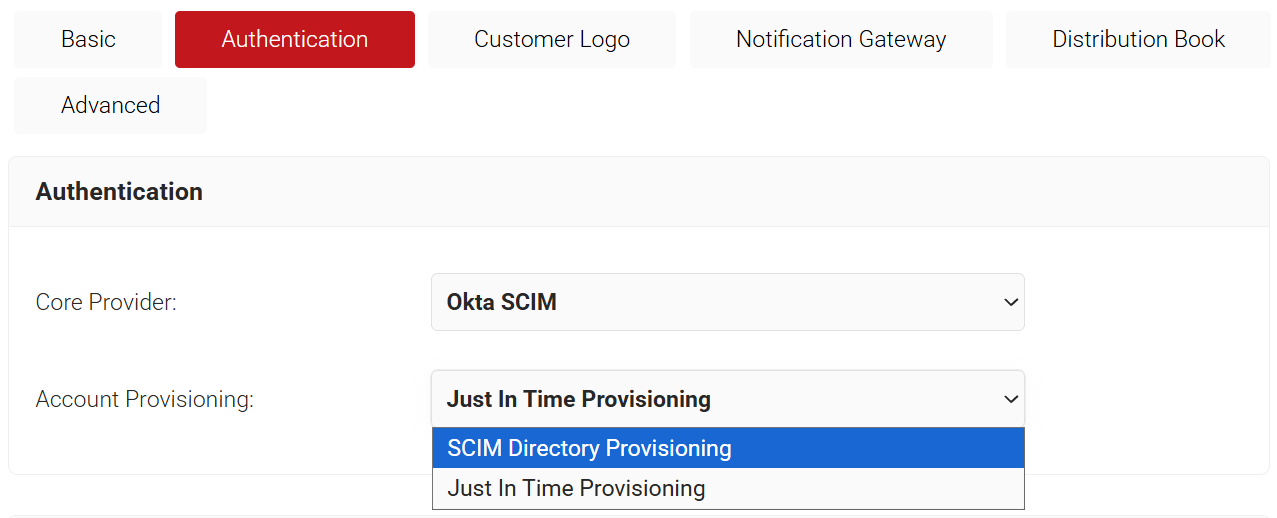
To configure SCIM, go to General → Organization → Account Provisioning.
For setup steps, see Okta SCIM Automation for JoinNow Portal Admin Access under General → Documentation in the JoinNow Management portal.
Trust Center: See How Complete Your Setup Is
The new Trust Center helps you check your architectural maturity with SecureW2.
It gives you a complete view of your setup and suggests additional configurations to improve your security posture, so you get full value from your license (JoinNow Campus/Guradian/Apex).
Suggestions include critical security controls, trusted pre/post certificate issuance, advanced RADIUS settings, and more.
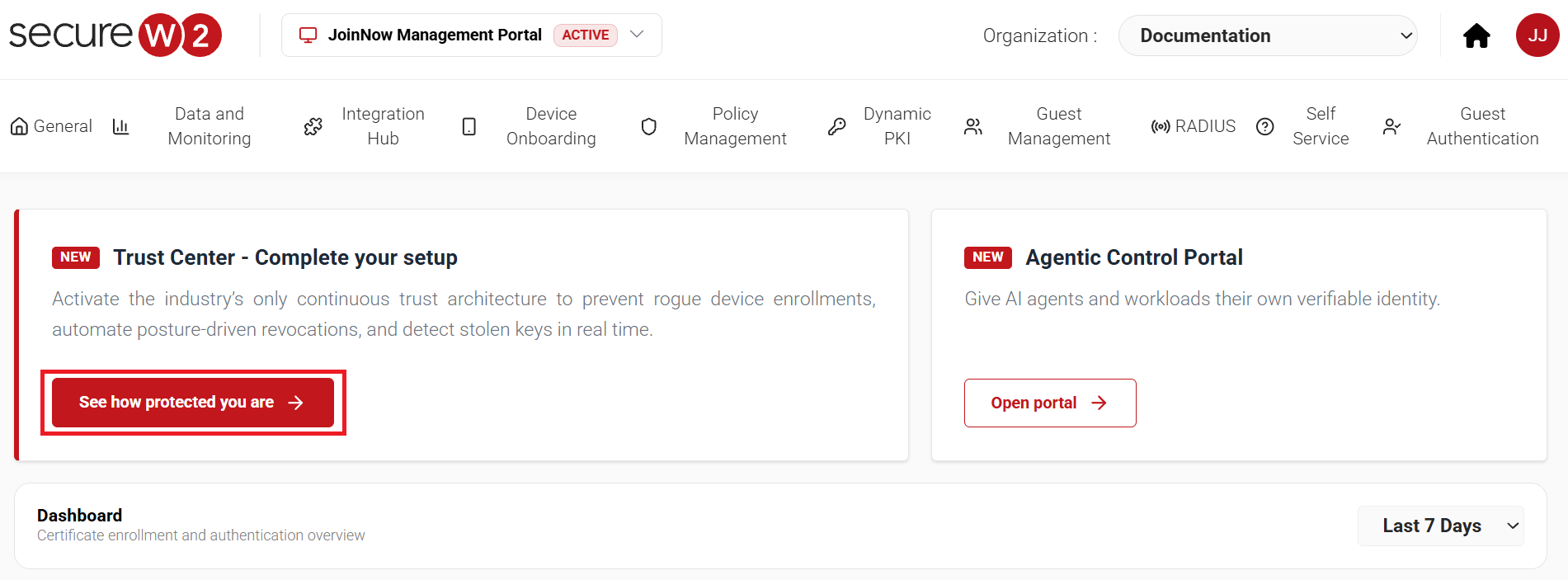
The Trust Center is available on the Home screen of the JoinNow Management portal.
For setup steps, see the Trust Center section of the SecureW2 JoinNow Platform Configuration Guide under General → Documentation in the JoinNow Management portal.
Snyk Integration for the Agentic AI Platform
Connect your Snyk platform to enable risk-based access controls for AI agents. The Snyk integration joins the existing Datadog and SentinelOne integrations for the platform.
You need a few basics to get started, such as your Snyk organization ID and client credentials. Snyk signals can also be used in Adaptive Defense.
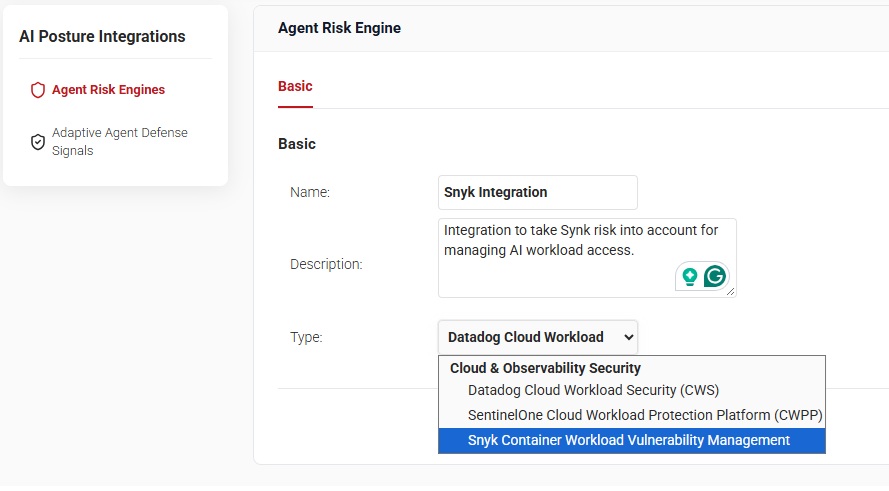
To configure the integration, go to Agentic Control Portal → AI Posture Integrations → Agent Risk Engines.
For setup steps, see Snyk Integration with SecureW2 for Adaptive Agent Defense – Integration Guide under General → Documentation in the JoinNow Management portal.
Improved MAC Authentication for Headless Devices
You can now define a range of MAC addresses that need authentication. This reduces the admin effort of preparing and tracking a manual list. The option is available in addition to the existing manual upload of a device list.
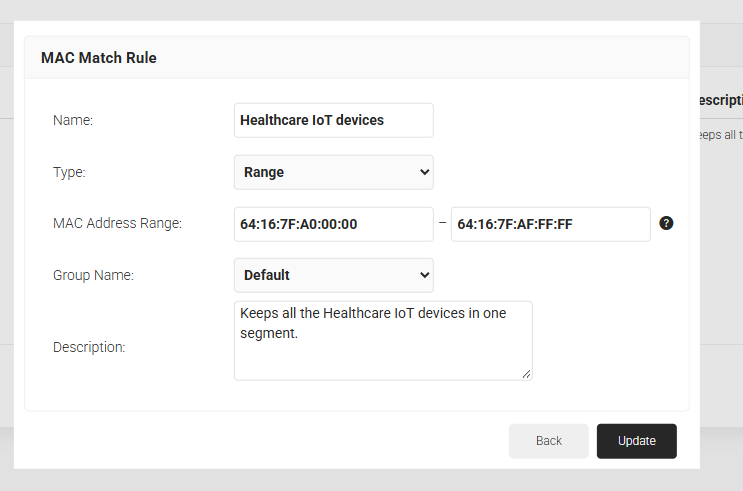
To configure it, go to Core Platforms → MAC Authentication.
For setup steps, see MAC Authentication Bypass (MAB).
Slack Notifications
Receive Slack notifications in addition to email notifications for Intelligence Briefs, CertIQ ML, and Adaptive Defense. Configure your Slack workspace and the channels that need to receive these notifications.
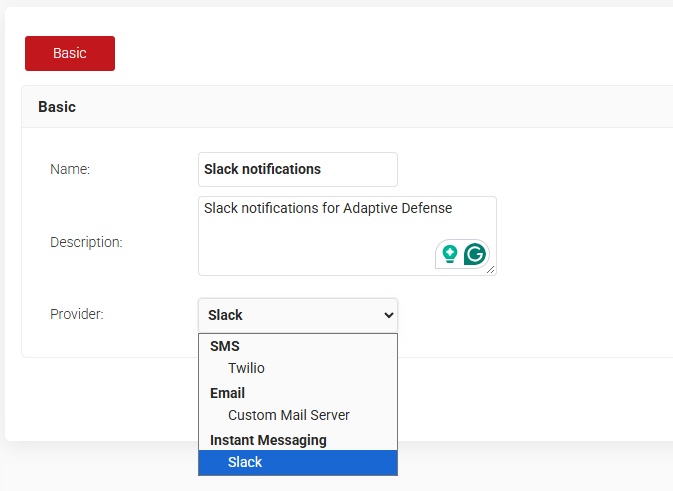
To configure it, go to General → Organization → Notification Gateway.
For setup steps, see Slack Notifications from SecureW2 under General → Documentation in the JoinNow Management portal.
Other Enhancements
- MDM certificate templates: Tailor-made certificate templates for eight commonly used MDMs for quick access and operational efficiency.
- Root CA domain restriction: Restrict root CAs to issue certificates to a specific domain only.
- Intune validation: A new Validate option in the Intune CA partner configuration verifies the correctness of the entered client credentials.
- New network policy condition: SecureW2-AAA-Client-IP, a new RADIUS condition allows geo-specific segmentation and network rules.
- Expiry notification frequency: Customize how often users receive certificate expiry notifications.
- macOS support: The JoinNow MultiOS client is now compatible with macOS 27 Golden Gate.
To see how these capabilities fit your environment, speak with one of our experts. Existing customers can find the detailed release notes in the JoinNow Management portal under General → Documentation → Release Notes, or reach out to their customer success manager.
