
Certificate-Based Authentication for Wi-Fi and VPN Access Powered by Okta Identity
Replace passwords and static credentials with X.509 certificates bound to live Okta identity. SecureW2 connects to Okta for identity-verified certificate issuance and performs a live Okta lookup at every authentication event for Wi-Fi and VPN. Access decisions reflect current group membership and account status, not enrollment-time snapshots.
Overview
One Identity Source. Real-Time Access Decisions.
SecureW2 integrates with Okta to replace passwords and static credentials with X.509 certificates tied to verified users and devices. By linking Okta identity to the JoinNow Dynamic PKI and JoinNow Cloud RADIUS, organizations can centralize certificate issuance, network policy, and application access control. Every authentication attempt, whether for Wi-Fi or VPN, triggers a live query to Okta to ensure access is based on current status rather than outdated enrollment attributes.
Use Cases
Active Directory-Free Network Authentication
Dynamic VLAN Assignment from Okta Attributes
How It Works
Automate Identity-Bound Access with Okta
Okta Certificate Enrollment Flow
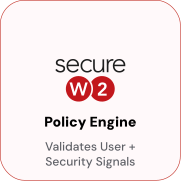
The SecureW2 JoinNow platform validates Okta identity as a synchronous gate before issuing a certificate. When a device enrolls through the JoinNow MultiOS client, it’s redirected to Okta for SAML 2.0 authentication. Okta validates the user and returns a SAML assertion with group attributes. The JoinNow policy engine evaluates the user’s group membership and approves or denies the request. Only devices with a verified and active Okta identity receive a certificate, which is bound to the device keychain or TPM, not the user account.
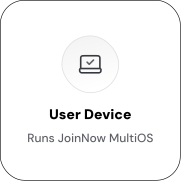
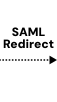

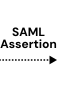
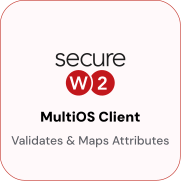
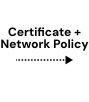
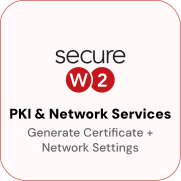

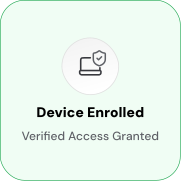
Authentication Flow with Real-Time Okta Lookup
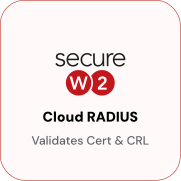
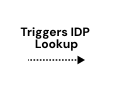
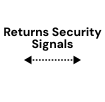
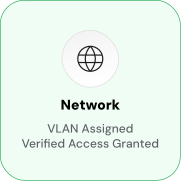
JoinNow Cloud RADIUS queries Okta live during every connection attempt to ensure user active status and compliance. After validating the device’s certificate during RADIUS Authentication, it performs a real-time lookup against Okta to confirm user account status and device policy adherence. VLAN assignment is determined by Okta group membership at the connection time, not enrollment. The device’s certificate is the same credential Okta Device Trust evaluates for application access. Cloud RADIUS-admitted devices satisfy the Device Trust policy, eliminating the need for separate enrollment or agent.




Use Cases
Deployment & Architecture Detail
Active Directory-Free Network Authentication
Organizations moving to Okta for identity often find that Wi-Fi and VPN authentication still depends on on-premises NPS servers, AD CS, and domain controllers infrastructure that should be retired but can't be until the authentication layer is replaced. SecureW2 closes that gap. Cloud RADIUS authenticates directly against Okta with no NPS or Active Directory in the path. During enrollment, the Policy Engine validates user identity against Okta before issuing a certificate. At authentication time, Cloud RADIUS performs a live Okta lookup verifying account status and group membership and returns the appropriate RADIUS response. No domain controller is queried at any point in the flow. AD CS and NPS can be decommissioned without affecting Wi-Fi or VPN access. Branch offices and remote users authenticate the same way. Because the authentication path runs through Cloud RADIUS and Okta rather than on-premises infrastructure, there is no dependency on domain controller reachability, VPN tunnels to reach NPS, or AD replication health. Users authenticate consistently regardless of location.
Dynamic VLAN Assignment from Okta Attributes
Cloud RADIUS reads Okta group membership at authentication time and maps group values to RADIUS policy attributes, including VLAN assignments. Each rule specifies an Okta group condition and the RADIUS attributes to return when that condition is met. For example, when a user in the "DevOps" Okta group authenticates to Wi-Fi, Cloud RADIUS matches the DevOps policy rule and returns VLAN 10 for full corporate access, while a user in "Contractors" receives VLAN 20 for internet-only, restricted access. This model supports granular network segmentation without manual provisioning. Group-to-VLAN rules are defined once in Cloud RADIUS, and Okta group management automatically drives network access. When a user moves between groups in Okta, the change takes effect at the next authentication event, with no manual RADIUS policy changes required.
Frequently Asked Questions
Okta Integration — Common Questions
How long does it take to set up the Okta integration?
A basic SecureW2–Okta integration can be completed within an hour using our guided setup wizard. This process involves configuring Okta as the Identity Provider and connecting it with SecureW2’s cloud-based PKI and RADIUS services to issue certificates. More advanced setups — such as integrating with MDM solutions (Intune, Jamf, Workspace ONE) or applying complex policy controls — may take longer depending on your organization’s environment.
Can I customize which Okta attributes are included in certificates?
Yes, SecureW2 allows you to customize Okta attribute mapping with full control. You can include standard Okta attributes (department, title, groups) as well as custom attributes defined in your Okta Universal Directory through the SecureW2 platform.
How does SecureW2 use Okta for certificate-based authentication?
SecureW2 leverages Okta as the source of identity. When a user or device requests access, SecureW2 verifies their identity against Okta and issues an X.509 certificate if they meet policy requirements. This certificate is then used for secure, passwordless authentication to Wi-Fi, VPNs, and Okta application access.
How does SecureW2 ensure only trusted devices receive certificates?
SecureW2 ensures only trusted devices receive certificates by integrating real-time identity checks from Okta with device compliance data from MDMs like Intune, Jamf, or Workspace ONE in addition to your security platforms. When a certificate request is made, SecureW2’s Dynamic PKI validates the user and the device against established policies, such as group membership or risk score, before issuing a certificate.
What happens if a user is suspended or removed in Okta?
When a user’s status changes in Okta — such as being suspended, deactivated, or removed — SecureW2 evaluates that event and responds according to policy. Certificates tied to the user can be revoked or rendered invalid, preventing the device from authenticating. In practice, this means administrators don’t need to manually track down devices or revoke access; the certificate lifecycle is automatically governed by Okta account status.
Does the integration support BYOD devices in addition to managed endpoints?
Yes. SecureW2 enables certificate-based authentication across both corporate-managed and BYOD endpoints, ensuring a uniform Zero Trust security posture. Managed endpoints receive certificates via MDM integration, while BYOD users can be onboarded securely through a self-service process that verifies identity against Okta before issuing a certificate.
Ready to connect SecureW2 to Okta?
Connect with our integration specialists to implement this solution in your environment and transform your security posture.