
Certificate Lifecycle Automation Driven by Microsoft Defender Risk Signals
SecureW2 queries Defender at issuance time and listens for real-time webhooks at runtime. When a device’s risk state changes, Dynamic PKI acts immediately revoking certificates and denying access through Cloud RADIUS before the next authentication attempt.
Overview
Close the Gap Between Threat Detection and Access Removal
SecureW2 integrates its Dynamic PKI and Cloud RADIUS policy engine with Microsoft Defender to ensure certificate-based network access reflects a device’s current risk state. At issuance, Dynamic PKI queries Defender for the device’s posture before issuing a certificate. At runtime, Defender sends real-time webhooks to SecureW2 whenever a device’s risk score or compliance status changes. The policy engine receives these signals and revokes certificates for flagged devices, enforcing the revocation through Cloud RADIUS at the next authentication. A device that was healthy yesterday but flagged by Defender this morning loses access immediately, without waiting for a certificate expiry window or a scheduled policy sync.
Use Cases
Risk-Gated Certificate Issuance
Webhook-Driven Real-Time Certificate Revocation
How It Works
Two Signal Paths. One Policy Engine.
Risk-Signal-Gated Certificate Issuance
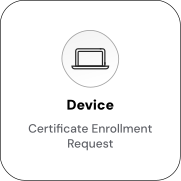
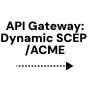
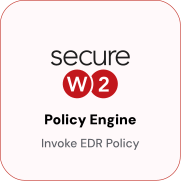
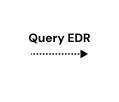
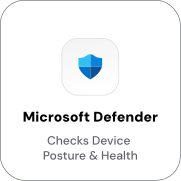
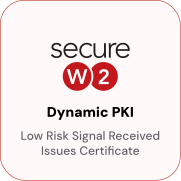
Before issuing a certificate, SecureW2’s Dynamic PKI queries Microsoft Defender for the device’s current posture. The policy engine evaluates Defender’s risk score and health attributes devices that fail the policy check are denied a certificate before one is ever created.
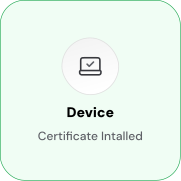
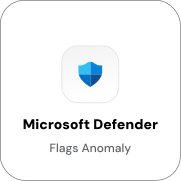
Webhook-Driven Real-Time Certificate Revocation
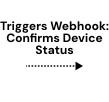
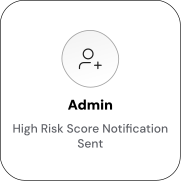
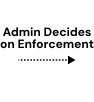
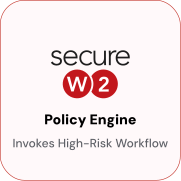
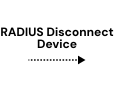
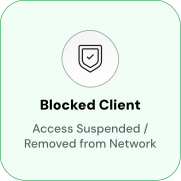
Enable automated network access control and segmentation for devices based on real-time threat intelligence from Microsoft Defender. When Defender detects a risk event, SecureW2 enforces the appropriate access policy at the next authentication attempt, suspending access, placing the device in a quarantine VLAN, or removing it from network access, based on administrative decisions.
Use Cases
Deployment & Architecture Detail
Risk-Gated Certificate Issuance
SecureW2’s Dynamic PKI, the certificate authority and policy engine, evaluates live data sources at each issuance request, unlike static PKI that issues certificates and waits for expiration.
When a device requests a certificate, Dynamic PKI queries Microsoft Defender for its current risk assessment, including the “Overall Assessment” value, composite risk score, and supporting attributes like serial number, operating system, and Defender agent ID. The policy engine evaluates this data against the configured policy and issues certificates to compliant devices while denying risky or non-compliant devices.
This ensures the certificate fleet is always grounded in current Defender data. A device deemed risky cannot obtain a certificate until its risk state improves and it passes the policy check at the next enrollment attempt.
Webhook-Based Certificate Lifecycle Automation
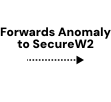
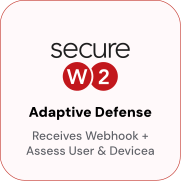
Defender webhooks trigger the runtime half of the integration. When Defender detects a change, a new threat, a risk score update, or a compliance status change, it sends a real-time webhook to SecureW2’s Dynamic PKI.
The policy engine receives the signal and triggers remediation actions. For risky or compromised devices, this typically means immediate certificate revocation without waiting for expiry or policy sync. The next authentication attempt is denied.
This replaces manual security actions. Instead of administrators reviewing Defender alerts and manually revoking certificates, the integration automatically closes the loop: Defender detects, SecureW2 acts. Setup takes about 30 minutes, according to SecureW2’s guidance.
Frequently Asked Questions
Microsoft Defender Integration — Common Questions
What is the SecureW2 and Microsoft Defender integration?
This integration connects SecureW2’s Dynamic PKI and policy engine with Microsoft Defender's risk signals. It turns device risk assessments into automated certificate issuance, updates, or revocations—ensuring only compliant, trusted devices retain access to your network and applications.
Why is this integration important for my organization?
This integration helps automate your security processes. Instead of relying on manual actions, it uses real-time data to automatically manage device access, which helps prevent breaches and simplifies your IT workload
What information from Microsoft Defender does SecureW2 use?
SecureW2 uses the "Overall Assessment" value, which is considered the device's risk score. It can also use other attributes like the device's serial number, operating system, and a unique agent ID.
How does the integration handle policy changes?
The integration uses webhooks to automatically update access policies. This means that if a device's risk score changes or a user's status is altered in Microsoft Defender, SecureW2 is notified instantly and can automatically apply the correct network policy, ensuring security is always up to date.
Can I use this for non-corporate devices?
Yes, this integration can also support BYOD (Bring Your Own Device). It allows for a simplified and secure onboarding process for personal devices, ensuring they are automatically validated for compliance and risk before being granted network access, without requiring an agent.
Ready to Activate Microsoft Defender Integration with SecureW2?
Connect with our integration specialists to implement this solution in your environment and transform your security posture.