
Certificate Authentication Powered by Live Entra ID
SecureW2 connects to Entra ID for SAML-based certificate enrollment across managed and unmanaged devices; no MDM agent is required for BYOD. At every 802.1X authentication event, Cloud RADIUS performs a live Entra ID lookup to verify account status, group membership, and Entra ID Protection risk score, so network access always reflects the user’s current identity state.
Overview
Certificate-Based Authentication Driven by Live Entra ID Identity
SecureW2 integrates with Microsoft Entra ID for passwordless, certificate-based authentication for Wi-Fi, VPN, and applications. It uses Entra ID as the SAML 2.0 identity provider for JoinNow self-service certificate enrollment. Users authenticate through Entra ID SSO, and SecureW2 issues a device-bound certificate with Entra ID attributes like group membership and department. These certificates enable EAP-TLS 802.1X authentication across MDM-managed and unmanaged devices without passwords.
JoinNow Cloud RADIUS performs real-time lookups against Entra ID during RADIUS authentication events to verify user status, group membership, and Entra ID Risk Protection score. Changes in Entra ID signals deprovision users, move them to different groups, or flag them as risky. SecureW2 adjusts network access and VLAN assignment at the next authentication. Dynamic webhooks allow Entra ID to push signal changes to SecureW2 out-of-band.
Use Cases
Enforce App Access Control with Certificate-Validated Devices
Cloud RADIUS Real-Time Identity Lookup
How It Works
Two Integration Flows: Enrollment and Enforcement
SAML-Based Certificate Enrollment for Passwordless Wi-Fi
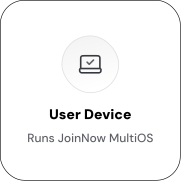
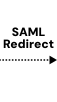
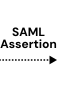
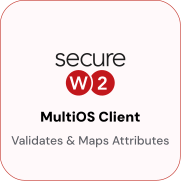
Entra ID serves as the SAML 2.0 identity provider. The JoinNow onboarding client redirects users to Entra ID SSO, receives a SAML assertion containing user attributes, and uses those attributes to issue a device-bound certificate. The device authenticates to Wi-Fi using EAP-TLS, with no password required.

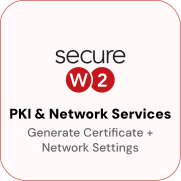
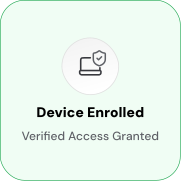
Cloud RADIUS Real-Time Identity Lookup and Policy Enforcement
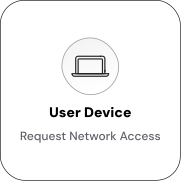
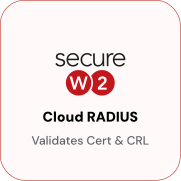
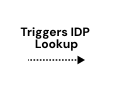
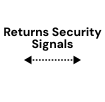
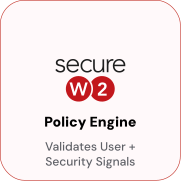
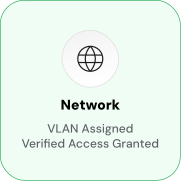
At every 802.1X authentication event, Cloud RADIUS queries Entra ID via OAuth 2.0 to verify the user’s current status, group membership, and Risk Protection score. VLAN assignment is driven by live Entra ID data, not a cached snapshot. Dynamic webhooks allow Entra ID to push signal changes between sessions.



Use Cases
Deployment & Architecture Detail
Enforce App Access Control with Certificate-Validated Devices
SecureW2-issued certificates serve as device identity proof beyond the network layer, enabling Conditional Access to gate access to M365, Azure AD-connected applications, and Entra ID-protected resources. When a user attempts to access a protected application, Entra ID Conditional Access checks for a trusted certificate issued by the SecureW2 CA. Devices without a valid certificate are blocked at the application layer, regardless of network location.
This extends the value of a single certificate enrollment across multiple access surfaces. The same certificate authenticates a device to Wi-Fi via EAP-TLS and satisfies device compliance for application access, eliminating the need for separate credentials or enrollment steps. When a user is offboarded and their certificate is revoked via webhook, that revocation simultaneously removes network access through Cloud RADIUS and application access through Conditional Access, closing both surfaces from a single directory event in Entra ID.
Cloud RADIUS Real-Time Identity Lookup
When a user account is disabled, removed from a group, or flagged as high-risk in Entra ID, a dynamic webhook sends an out-of-band signal to SecureW2, revoking the user’s certificate and making the credential invalid. Cloud RADIUS denies the device’s connection request due to the revoked certificate and the real-time Entra ID lookup confirming the account’s inactivity.
This two-layer enforcement ensures immediate reflection of offboarding and risk escalation on the network, not at the next scheduled sync or certificate expiry. Administrators can configure revocation triggers to match specific Entra ID events, such as account disabled, group removal, MFA failure threshold exceeded, or a Risk Protection score crossing a defined threshold. Revocation applies across all network access points enforced by Cloud RADIUS, Wi-Fi, wired 802.1X, and VPN.
Frequently Asked Questions
Entra ID Integration — Common Questions
How does SecureW2 authenticate users through Entra ID during enrollment?
JoinNow uses Entra ID as a SAML 2.0 identity provider. When a user runs the JoinNow onboarding client, the client redirects to Entra ID for credential verification. After authentication, Entra ID returns a SAML assertion with the user's attributes, which SecureW2 uses to populate and issue a device-bound certificate.
Does Cloud RADIUS use a cached directory sync or real-time lookups?
Real-time lookups. At each 802.1X authentication event, Cloud RADIUS queries Entra ID via OAuth 2.0 to verify the user's current status, group membership, and Risk Protections score. Dynamic webhooks also allow Entra ID to push signal changes to SecureW2 between authentication events.
How are Entra ID groups and roles used for network segmentation?
Administrators map Entra ID groups and roles to VLANs in the Cloud RADIUS policy. When a user authenticates, Cloud RADIUS confirms their current Entra ID group membership and assigns the corresponding VLAN. If group membership changes, the next authentication reflects the updated assignment automatically.
What happens when a user is deprovisioned or flagged as risky in Entra ID?
Cloud RADIUS will deny the user's next authentication request based on the real-time identity lookup. SecureW2 can also revoke the user's certificate immediately, so the credential itself becomes invalid. Both the RADIUS lookup and certificate revocation work together to remove access promptly.
Does this integration support BYOD and unmanaged devices?
Yes. JoinNow self-service onboarding is designed for both managed and unmanaged devices. Users authenticate through Entra ID SSO and receive a certificate through the same enrollment flow regardless of whether their device is enrolled in an MDM. EAP-TLS authentication works across Windows, macOS, iOS, Android, and ChromeOS.
Which protocols does the integration support?
SAML 2.0 for enrollment identity verification, OAuth 2.0 and OpenID Connect for real-time Entra ID lookups from Cloud RADIUS, LDAP, 802.1X EAP-TLS for network authentication, WPA2/WPA3 Enterprise, and webhooks for dynamic API triggers from Entra ID.
How does certificate renewal work for managed Apple devices?
Yes. SecureW2 certificate templates support full mapping of Entra ID attributes, including standard attributes such as department, title, UPN, and group, as well as custom attributes defined in your Entra ID schema. Administrators control which attributes appear in the certificate's Subject and SAN fields.
How long does the integration take to set up?
SecureW2 cites the guided setup wizard as completable in 10–15 minutes for the Entra ID connection, with full cert-based Wi-Fi deployment achievable in approximately 30 minutes.
Ready to Connect SecureW2 to Entra ID?
Connect with our integration specialists to implement this solution in your environment and transform your security posture.