
Automate Certificate-Based Authentication for Google Workspace
Deploy phishing-resistant, identity certificates to your entire fleet without a single help desk ticket. The SecureW2 JoinNow platform integrates with Google IAM to automate enrollment and enforce real-time, identity-aware access eliminating shared secrets and manual provisioning.
Overview
Federated Identity for Automated Network Access
The SecureW2 JoinNow platform transforms Google Workspace into the authoritative identity source for your entire network, replacing vulnerable passwords with phishing-resistant digital certificates. By integrating directly with Google IAM, the platform automates the delivery of phishing-resistant identities and leverages Cloud RADIUS to perform live directory lookups on every connection attempt.
This ensures that network access is always identity-aware; if a user is suspended or moved to a restricted OU within the Google Admin Console, their access is revoked in real-time, providing total control over managed and BYOD fleets without manual IT intervention.
Use Cases
Encrypted Guest Access
Zero-Touch VLAN Segmentation
How It Works
Two Flows. One Identity Source.
Secure ChromeOS Certificate Deployment
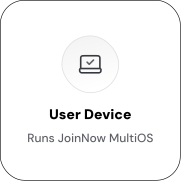
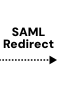
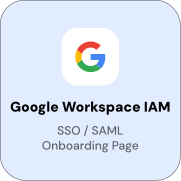
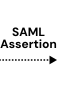
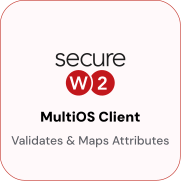
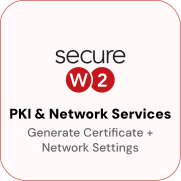
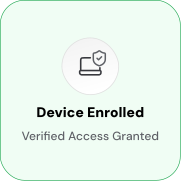
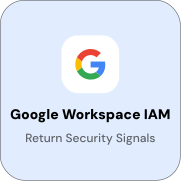
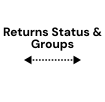
For BYOD and non-Chrome-managed devices, users enroll through the JoinNow portal using Google SAML SSO. Google authenticates the user and returns a signed assertion; JoinNow validates it, queries the Google directory, and delivers a certificate with a complete 802.1X configuration profile, no MDM required.
Google Identity Lookup for RADIUS
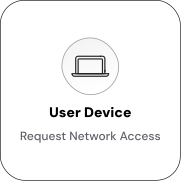
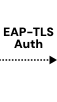
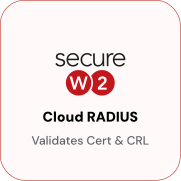
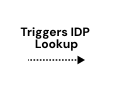
The platform integrates with Google IAM to perform identity lookups during RADIUS authentication. This ensures every network connection is verified against the most current data in the Google directory.
Use Cases
Deployment & Architecture Detail
Encrypted Guest Access
Organizations use Google Workspace identity to provide encrypted guest Wi-Fi. Guests authenticate using their Gmail IDs to gain secure, temporary access to the network without IT managing guest credentials.
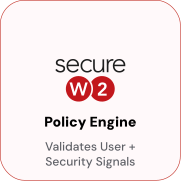
SecureW2 integrates with Google Workspace to issue short-lived guest certificates scoped to a restricted VLAN. When a guest authenticates through JoinNow using their Gmail account, the Policy Engine validates their identity against Google’s OAuth endpoint and issues a time-limited certificate. Cloud RADIUS enforces the guest access policy, placing the device in the guest VLAN and blocking access to internal resources.
When the certificate expires, the guest’s access ends automatically, eliminating the need for manual credential revocation, shared Wi-Fi passwords, or IT helpdesk involvement.
Zero-Touch VLAN Segmentation
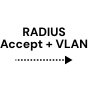
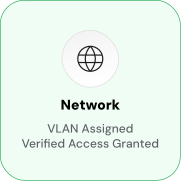
Google Workspace OU and group memberships drive VLAN assignment at authentication time through Cloud RADIUS. Devices are placed in the correct network segment based on their current Google identity state. Active users in the Corporate OU have full access, active users in the Contractors OU have internet-only access, and suspended users or users not found in the directory are denied access.
VLAN assignment is evaluated at every authentication, so changes in Google Workspace OU or group membership take effect at the next connection attempt. A user moved to a restricted OU in Google Admin Console will receive restricted network access upon reauthentication, without certificate reissuance or profile update.
Frequently Asked Questions
Google IAM Integration — Common Questions
Does this integration work with Google Workspace or Google Cloud Identity, or both?
Both. The integration works with Google Workspace and Google Cloud Identity. Both products expose the same Google Directory API that JoinNow CloudConnector uses for identity lookups. If your organization uses Google Cloud Identity Free or Cloud Identity Premium without Google Workspace apps, the integration still functions for certificate enrollment and RADIUS authentication.
What Google API permissions does SecureW2 require?
JoinNow CloudConnector requires read-only access to the Google Directory API: users.list, users.get, groups.list, groups.members.list, and orgunits.list. Access is granted via an OAuth 2.0 service account with domain-wide delegation scoped to those endpoints. No write permissions are required.
How does certificate enrollment work for Google-managed Chromebooks?
Chromebooks enrolled in Google Admin Console receive certificates through SCEP profiles deployed via the Chrome Device Management policy. JoinNow CloudConnector acts as the SCEP server. When a Chromebook receives the SCEP profile and initiates a certificate request, the CloudConnector validates the device against the Google directory and issues a certificate. The SCEP profile and CA certificate are distributed to Chromebooks through the Google Admin Console device policy, no user interaction required.
What happens when a user account is suspended in Google Workspace?
The CloudConnector detects the suspension on the next scheduled revocation evaluation and revokes the user's certificate. Cloud RADIUS checks certificate validity at authentication time, so the device is denied network access at the next connection attempt. The window between suspension and revocation depends on the revocation evaluation interval, which is configurable. For immediate action, administrators can trigger a manual revocation evaluation or revoke the certificate directly in the JoinNow console.
Can VLAN assignment be based on Google Workspace group membership, or only OU membership?
Both. Cloud RADIUS policies can evaluate OU path (organizational unit hierarchy) and group membership. Groups are useful when you need to assign access policies across users from different OUs, for example, a "VPN Users" group that spans multiple departments. OUs are the more common segmentation mechanism for device-based access. You can configure Cloud RADIUS to evaluate either or both attributes in the same access policy.
Is the Google Workspace connector agentless, or does it require software on Google infrastructure?
Agentless. JoinNow CloudConnector runs in your environment on-premises or cloud-hosted RADIUS. Connects to Google Workspace via the Google Directory API over HTTPS. No agent is installed on Google servers, and no Google infrastructure configuration is required beyond creating the service account and granting the necessary API scopes.
Does auto-revocation require Cloud RADIUS, or does it work with any RADIUS server?
Auto-revocation is a PKI function, not a RADIUS function. The CloudConnector manages revocation by updating the Certificate Revocation List (CRL) maintained by JoinNow Dynamic PKI. Any RADIUS server that validates certificates against the CRL will enforce revocation, not just Cloud RADIUS. However, Cloud RADIUS is required for live Google Workspace identity lookups at authentication time and for OU or group-based VLAN segmentation.
Can this integration issue both user certificates and device certificates from Google Workspace identity?
Yes. JoinNow supports separate certificate templates and enrollment policies for user certificates (issued to the Google Workspace user identity) and device certificates (issued to the device managed in Google Admin Console). User certificates encode the user's email and UPN; device certificates encode the device's hostname and managed device ID. Both certificate types work with Cloud RADIUS for policy enforcement.
What is the difference between using Google Workspace as the IdP versus Okta or Entra ID?
The certificate enrollment and RADIUS authentication flows are identical regardless of IdP. JoinNow's identity lookup architecture is IdP-agnostic, the CloudConnector has lookup providers for Google Workspace, Okta, Entra ID, and others. The difference is which identity attributes are available and how they are structured. Google Workspace uses OU paths for organizational hierarchy; Okta and Entra ID use groups and attributes. The certificate template variable mappings differ per IdP, but the PKI and RADIUS logic is the same.
What happens if a device's Google Workspace OU changes between certificate issuance and authentication?
Cloud RADIUS handles this through two mechanisms. First, the Google Workspace Identity Lookup Provider can be configured to run at RADIUS authentication time, not just at certificate issuance. If the user's OU has changed, Cloud RADIUS detects this during the authentication lookup and applies the current policy, either denying access or assigning a different VLAN. Second, the auto-revocation workflow runs on a schedule and revokes certificates for users whose accounts no longer meet the enrollment policy conditions, so the next authentication attempt will fail CRL validation regardless of the live lookup result.
Ready to Connect SecureW2 with
Google Workspace (IAM)?
Connect with our integration specialists to implement this solution in your environment and transform your security posture.