
Certificate-Based Network Access, Driven by ServiceNow Device Management
SecureW2 auto-enrolls and manages certificates using ServiceNow device data. Device attributes flow from ServiceNow into certificate issuance and Cloud RADIUS policy so your network access decisions reflect your actual device inventory, not a snapshot from enrollment day.
Overview
One Identity Source. Real-Time Access Decisions.
SecureW2 is the PKI and RADIUS layer for ServiceNow environments. It auto-enrolls and manages certificates for network access control by leveraging ServiceNow’s device management capabilities. The combined platform enables real-time network policy enforcement based on device attributes and user context, supporting granular network segmentation and dynamic VLAN assignment.
ServiceNow acts as the device authority. SecureW2 consumes ServiceNow device context attributes, user context, and posture state to drive certificate issuance through Dynamic SCEP and to inform Cloud RADIUS access decisions at the moment a device connects. Certificates are fully customizable: any standard or custom attribute sourced from ServiceNow (department, title, group membership) can be encoded into the credential.
Use Cases
Real-Time Certificate Revocation on Device Status Change
Cloud RADIUS with ServiceNow Posture Enforcement
How It Works
Two Paths to Certificate-Based Access with ServiceNow
SCEP Certificate Enrollment via ServiceNow Device Management
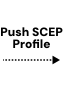
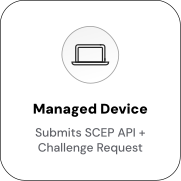
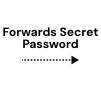
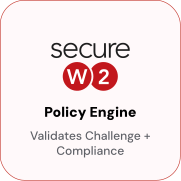
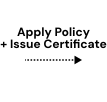
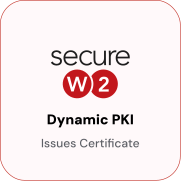
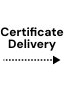
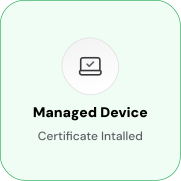
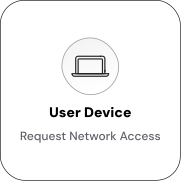
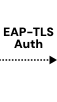
The admin deploys a configuration profile through ServiceNow. The device initiates a SCEP certificate request to SecureW2, which verifies the request against ServiceNow device data before issuing a device-bound certificate. The certificate installs automatically and is used for 802.1X / EAP-TLS network authentication.

Cloud RADIUS Policy Enforcement with ServiceNow Posture
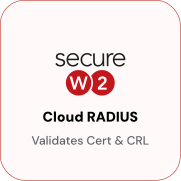
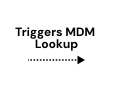
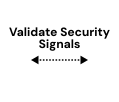
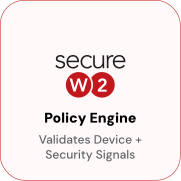
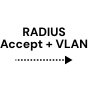
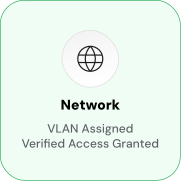
The device presents its certificate to the network infrastructure. The access point or VPN gateway forwards the authentication request to SecureW2 Cloud RADIUS, which evaluates the certificate against ServiceNow device attributes and posture state before returning an ACCEPT or REJECT and assigning the appropriate VLAN.

Use Cases
Deployment & Architecture Detail
Real-Time Certificate Revocation on Device Status Change
When a device is removed from ServiceNow inventory or its posture state changes to marked non-compliant, decommissioned, or offboarded, the Webhook-driven sync propagates the change to SecureW2 immediately. The device's certificate is revoked without waiting for the certificate's natural expiration or a manual admin action.
At the next connection attempt, Cloud RADIUS validates the certificate against SecureW2's revocation list and returns a RADIUS REJECT, removing the device from the network in real time. No help desk ticket, no manual VLAN change, no waiting for the certificate to expire; access ends the moment ServiceNow signals the device is no longer trusted.
This revocation loop applies to all managed device types: laptops, mobile devices, shared workstations, and works across Wi-Fi, VPN, and any other network infrastructure connected to Cloud RADIUS. The full lifecycle from enrollment through revocation is driven by ServiceNow device state.
Cloud RADIUS with ServiceNow Posture Enforcement
JoinNow Cloud RADIUS acts as the RADIUS server for your network infrastructure. At authentication time, the policy engine validates the device's certificate and evaluates its current posture state sourced from ServiceNow, returning a RADIUS ACCEPT or REJECT to the access point or VPN gateway.
The Webhook-based API sync between ServiceNow and SecureW2 ensures that device attribute and posture changes in ServiceNow propagate to Cloud RADIUS in real time. A device removed from ServiceNow or marked non-compliant will have its access rejected at the next authentication event, no manual intervention required.
Frequently Asked Questions
ServiceNow Integration — Common Questions
How does ServiceNow device data get into SecureW2?
SecureW2 and ServiceNow sync via Dynamic APIs triggered by Webhook. When device attributes or posture state change in ServiceNow, those changes propagate to SecureW2 in real time no manual sync or scheduled polling required.
Can I customize which ServiceNow attributes go into the certificate?
Yes. SecureW2 allows full customization of attribute mapping from ServiceNow. Certificates can include standard attributes (department, title, group membership) and any custom attributes defined in your ServiceNow instance. This gives you fine-grained control over the identity and device context encoded in each credential.
Does this work for Wi-Fi, VPN, and application access?
Yes. Certificates issued through the ServiceNow integration can be used for 802.1X Wi-Fi, EAP-TLS VPN, and application access wherever certificate-based authentication is required. Cloud RADIUS enforces the access policy at each connection point.
How long does setup take?
The SecureW2 integration with ServiceNow can be configured in approximately 30 minutes using the guided setup wizard. Certain configuration paths can be completed in 10–15 minutes for organizations using the standard attribute mapping defaults.
What happens when a device is removed from ServiceNow or marked non-compliant?
The Webhook-driven sync propagates the change to SecureW2, which revokes the device's certificate immediately. Cloud RADIUS denies the revoked certificate at the next connection attempt, removing network access in real time without waiting for the certificate to expire.
How does dynamic VLAN assignment work?
At authentication time, Cloud RADIUS evaluates the device attributes encoded in the certificate sourced from ServiceNow and returns RADIUS attributes that assign the appropriate VLAN alongside the access decision. Devices are placed into the correct network segment based on their current attributes, not a static pre-configured mapping.
What protocols does the integration support?
The integration supports 802.1X, EAP-TLS, ACME, OAuth 2.0, SAML 2.0, Dynamic SCEP, and OpenID Connect.
Do certificates protect against phishing and credential theft?
Yes. Certificates are device-bound and the private key is generated on the device and never leaves it. The credential cannot be phished, shared, or stolen the way a username and password can eliminating the password-based attack surface for network access.
Ready to Connect SecureW2 to ServiceNow?
Connect with our integration specialists to implement this solution in your environment and transform your security posture.