
Automate Network Access Enforcement with SentinelOne Threat Intelligence
Link the SecureW2 JoinNow platform with SentinelOne to automate real-time access decisions based on device health. When an endpoint falls out of compliance, SecureW2 blocks digital certificate issuance and revokes network access immediately.
Overview
Automate Access Decisions with SentinelOne
The SecureW2 JoinNow platform shifts network security from static perimeter checks to an active defense fabric by ingesting live telemetry from SentinelOne. Instead of relying on a single checkpoint during onboarding, this architecture maintains a live feedback loop between endpoint defense tools and the network edge. During initial certificate enrollment, the platform cross-references device health against the SentinelOne API to block risky hardware from obtaining network credentials. Once online, the platform monitors shifting threat scores constantly and revokes certificates the moment an endpoint falls out of compliance. Cloud RADIUS then blocks the compromised hardware at the next authentication attempt, shifting your perimeter from a static gateway into a fluid, automated security ecosystem.
Use Cases
Automated Network Isolation on Active Threat
Unmonitored Device Exclusion
How It Works
Two Core Architectural Enforcement Paths on SentinelOne
Threat-Aware Certificate Issuance (Pre-Enrollment Gate)
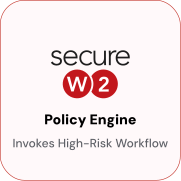
SecureW2 JoinNow queries the SentinelOne API before issuing any certificate. The Policy Engine checks the requesting device’s current threat score and health status in real-time, blocking compromised or unmonitored endpoints before a credential is ever granted.
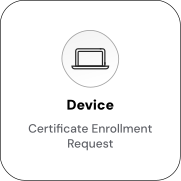
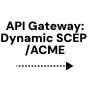
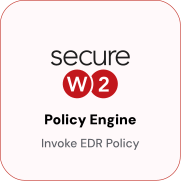
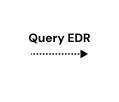

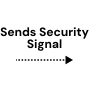
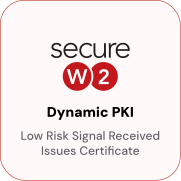
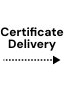
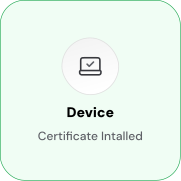
Automate Network Access via SentinelOne Threat Intelligence
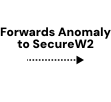
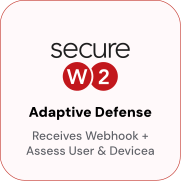
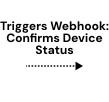
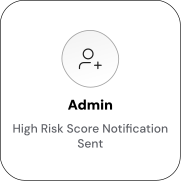
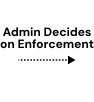
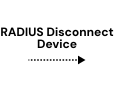
After certificate issuance, SecureW2 continuously polls SentinelOne. When a threat is detected or a device’s health status degrades, the RTI Monitor triggers policy evaluation, and Cloud RADIUS enforces the updated access level based on administrator action.

Use Cases
Deployment & Architecture Detail
Automated Network Isolation on Active Threat
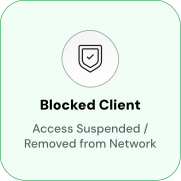
When SentinelOne flags a device, a new detection, a threat score crossing the configured threshold, or an agent reporting an active incident, SecureW2 revokes the device's certificate and updates the CRL automatically. No SOC-to-IT handoff, no ticket, no manual policy change: the SentinelOne detection event directly triggers the network policy change.
Cloud RADIUS enforces the updated access level at the next authentication attempt. For environments with short RADIUS session timeouts, network isolation can happen within minutes of the SentinelOne detection, faster than any manual response process.
Administrators map SentinelOne threat levels to specific RADIUS outcomes so containment is graduated rather than binary: a medium-severity detection moves the device to a restricted VLAN, while a high-severity detection triggers full revocation. When SentinelOne clears the threat and the score returns below threshold, the Policy Engine can automatically reactivate the certificate and restore full access, no re-enrollment required.
Unmonitored Device Exclusion
Devices not enrolled in SentinelOne or whose agent has gone offline or inactivecannot obtain a network certificate from SecureW2, regardless of their MDM enrollment status or user credentials. A device can be fully managed in Intune or Jamf and still fail certificate issuance if SentinelOne cannot confirm a running, healthy agent.
This enforces a hard coverage requirement: every device on the network must have an active SentinelOne agent, not just an MDM profile. Gaps in EDR coverage, a device that slipped past onboarding, a contractor laptop, or a device whose agent was uninstalled are automatically excluded from network access rather than silently permitted.
Administrators can configure the exact conditions that constitute "unmonitored", agent offline for more than a set interval, agent version below a minimum, or device not found in the SentinelOne console at all, giving precise control over what the coverage floor looks like.
Frequently Asked Questions
SentinelOne Integration — Common Questions
What is the SecureW2 and SentinelOne integration?
This integration connects SecureW2’s Dynamic PKI and policy engine with SentinelOne's risk signals. It turns device risk assessments into automated certificate issuance, updates, or revocations—ensuring only compliant, trusted devices retain access to your network and applications.
Why is this integration important for my organization?
This integration helps automate your security processes. Instead of relying on manual actions, it uses real-time data to automatically manage device access, which helps prevent breaches and simplifies your IT workload
What information from SentinelOne does SecureW2 use?
SecureW2 uses the "Overall Assessment" value, which is considered the device's risk score. It can also use other attributes like the device's serial number, operating system, and a unique agent ID.
How does the integration handle policy changes?
The integration uses webhooks to automatically update access policies. This means that if a device's risk score changes or a user's status is altered in SentinelOne, SecureW2 is notified instantly and can automatically apply the correct network policy, ensuring security is always up to date.
Can I use this for non-corporate devices?
Yes, this integration can also support BYOD (Bring Your Own Device). It allows for a simplified and secure onboarding process for personal devices, ensuring they are automatically validated for compliance and risk before being granted network access, without requiring an agent.
Ready to Connect SentinelOne with SecureW2?
Connect with our integration specialists to implement this solution in your environment and transform your security posture.