
Certificate-Based Authentication for Multi-Platform Enterprise Fleets via MobileIron
SecureW2 auto-enrolls and manages certificates for network access control by leveraging MobileIron’s robust device management capabilities. The combined power of the platforms enables real-time network policy enforcement based on device attributes and user context, allowing for granular network segmentation and dynamic VLAN assignment.
Overview
Dynamic SCEP Enrollment Across Every Platform MobileIron Manages
SecureW2 integrates with MobileIron, now part of Ivanti’s portfolio as Ivanti Neurons for MDM, to deliver automated certificate enrollment across iOS, Android, macOS, and Windows device fleets at enterprise scale. Certificates are issued through MobileIron configuration profiles using Dynamic SCEP on all supported platforms, with no static shared secret, no manual provisioning, and no user interaction required. JoinNow Dynamic PKI validates each device’s management status in MobileIron before issuing a certificate, ensuring that only enrolled, recognized devices can obtain credentials.
The integration is designed for environments where network segmentation, compliance enforcement, and certificate lifecycle management must operate at scale across thousands of devices spanning multiple platforms. JoinNow Cloud RADIUS enforces access policy at authentication time by checking the authenticating device’s current compliance state in MobileIron, not against a cached copy of directory data. Devices that fall out of compliance can have their certificates automatically revoked, ending network access without waiting for certificate expiration or any administrator intervention.
Use Cases
RADIUS Authentication with Live Compliance Lookup
Dynamic VLAN Segmentation by Compliance State
How It Works
Automate Certificate Enrollment via MobileIron
Dynamic SCEP Enrollment via MobileIron
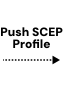
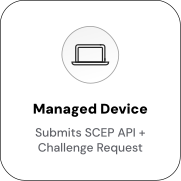
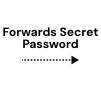
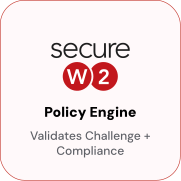
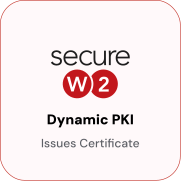
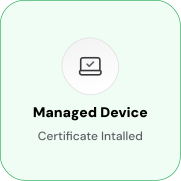
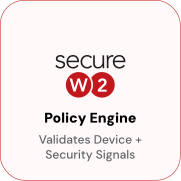
MobileIron delivers a SCEP profile with a unique per-device challenge across iOS, Android, macOS, and Windows. When the device submits its certificate request, MobileIron triggers a SCEPChallenge webhook to CloudConnector, which validates the device’s management status and generates a one-time challenge tied to that specific device. The Policy Engine verifies the challenge and issues a certificate from Dynamic PKI, the challenge cannot be reused or transferred to another device.


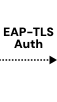
EAP-TLS Authentication with Live MobileIron Compliance Check
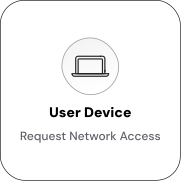
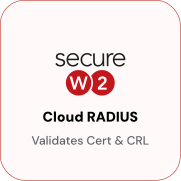
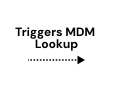
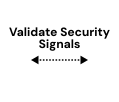
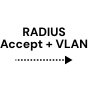
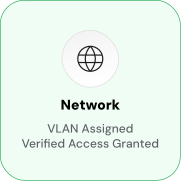
At each connection attempt, the device presents its certificate to the access point or VPN gateway, which forwards the EAP-TLS request to Cloud RADIUS for validation. Cloud RADIUS verifies the certificate and performs a live MobileIron compliance lookup, returning an Access-Accept with the appropriate VLAN assignment if the device is enrolled and compliant, or an Access-Reject if it is not. Because the compliance check runs at authentication time rather than enrollment time, a device that falls out of compliance after receiving its certificate is caught at the next connection attempt without any administrator action.

Use Cases
Deployment & Architecture Detail
RADIUS Authentication with Live Compliance Lookup
JoinNow Cloud RADIUS performs a real-time lookup against MobileIron at authentication time, so the access decision is based on the device's current compliance state rather than the state at the time the certificate was issued. A MobileIron Identity Lookup Provider is configured in JoinNow with read-only API credentials that allow querying device records, group membership, and compliance status. When a device presents a certificate for EAP-TLS authentication, Cloud RADIUS uses the certificate's Subject and SAN fields to identify the device, then queries MobileIron for its current compliance status and group membership. The Policy Engine evaluates those attributes against the configured network policy.
A managed, compliant device in the approved group receives an Access-Accept with a corporate VLAN assignment. A device that has fallen out of compliance receives either a restricted VLAN assignment or an Access-Reject, depending on policy configuration. A device not found in MobileIron is rejected outright. Because the lookup runs on every authentication attempt, a device that becomes non-compliant between certificate issuance and the next network connection is caught at the RADIUS stage, even if its certificate is still within its validity period.
Dynamic VLAN Segmentation by Compliance State
MobileIron device group membership and compliance status drive VLAN assignment at authentication time via Cloud RADIUS, placing devices in the appropriate network segment based on their current MobileIron state without manual VLAN configuration. RADIUS access policies in JoinNow read MobileIron attributes at authentication time: the MobileIron Identity Lookup Provider retrieves the authenticating device's label assignments, group membership, and compliance status, and Cloud RADIUS evaluates those attributes against policy rules to return an Access-Accept with the appropriate VLAN tag and access level.
For example, a managed, compliant corporate device is assigned VLAN 10 for full corporate access; a device flagged as non-compliant is assigned VLAN 30 for restricted internet-only access; a device in a contractor-designated MobileIron Space is assigned VLAN 50; and a device not enrolled in MobileIron receives an Access-Reject. VLAN assignment is re-evaluated at every authentication, so a device moved to a non-compliant group will receive restricted access at its next Wi-Fi or VPN authentication, with no certificate reissuance or profile update required.
Frequently Asked Questions
MobileIron Integration — Common Questions
How is SCEP configured in MobileIron for the SecureW2 integration?
SecureW2 is configured as an External CA in MobileIron's Certificate Enrollment settings. You will need the SecureW2 SCEP URL and the SCEP API Token generated in the JoinNow Management Portal. In MobileIron, create a Certificate Enrollment configuration that specifies the SCEP URL, sets the challenge type to dynamic (webhook), and points the webhook endpoint to JoinNow CloudConnector. The CloudConnector URL and credentials are provided in the JoinNow portal when you generate the SCEP API Token. For iOS and macOS, this enrollment configuration is referenced in a Wi-Fi or certificate payload within a device configuration profile. For Windows, the SCEP configuration is delivered through the Windows MDM Certificate enrollment flow. For Android Enterprise, it is delivered through the Certificate Enrollment profile for Android.
Is the enrollment flow the same for iOS and Windows, or are there differences?
The Dynamic SCEP protocol and the CloudConnector webhook flow are the same across all platforms. MobileIron triggers the SCEPChallenge webhook; CloudConnector validates the device in MobileIron, generates a per-device challenge, and SecureW2 issues the certificate. What differs is how the SCEP payload is delivered and where the certificate is stored. On iOS and macOS, the SCEP configuration is embedded in a .mobileconfig profile payload, and the certificate is stored in the system keychain. On Windows, the SCEP configuration is delivered through the Windows MDM certificate enrollment channel, and the certificate is stored in the Windows Certificate Store. On Android Enterprise, the certificate is stored in the managed Android keystore. The JoinNow certificate template can be scoped per platform, so each OS can receive a certificate with platform-appropriate attributes.
How does MobileIron compliance policy interact with SecureW2 access policy?
They operate at different layers and complement each other. MobileIron's compliance policies determine whether a device is flagged as compliant or non-compliant, for example, based on OS version, encryption status, or device passcode enforcement. SecureW2 reads those compliance flags at two points: at enrollment time (to decide whether to issue a certificate) and at authentication time (to decide what network access to grant). You configure the specific MobileIron attributes and group memberships that SecureW2 reads through the MobileIron Identity Lookup Provider in JoinNow. The network access policy in JoinNow then maps those attributes to RADIUS outcomes of Access-Accept with corporate VLAN, Access-Accept with restricted VLAN, or Access-Reject. MobileIron compliance posture directly drives network access without requiring administrators to maintain a separate set of network access rules.
We currently use MobileIron Sentry for VPN and Wi-Fi. What changes when migrating to Cloud RADIUS?
MobileIron Sentry is an on-premises proxy that provides certificate-based access for email and app tunneling, but most enterprises use it alongside a separate RADIUS server for 802.1X Wi-Fi authentication. If you are replacing an on-premises RADIUS server, such as Microsoft NPS, with JoinNow Cloud RADIUS, the migration involves three steps: configuring SecureW2 as the External CA in MobileIron (to take over certificate issuance), pointing your network access points or VPN concentrators to JoinNow Cloud RADIUS instead of your current RADIUS server, and configuring the MobileIron Identity Lookup Provider in JoinNow so that Cloud RADIUS can check compliance at authentication time. PEAP-MSCHAPv2 and EAP-TLS can coexist on the same SSID during the transition, so existing password-based users are not disrupted while the certificate rollout completes.
Does it matter that MobileIron has been rebranded to Ivanti Neurons for MDM?
For this integration, the Ivanti rebrand does not change the technical implementation. The API endpoints, SCEP configuration structure, and webhook mechanism used by JoinNow CloudConnector work with both the MobileIron-branded platform and Ivanti Neurons for MDM. Organizations still running the MobileIron-branded version and those that have transitioned to the Ivanti Neurons for MDM console can use the SecureW2 integration with the same configuration steps. If you are running Ivanti Neurons for MDM, apply the same configuration steps in the Ivanti Neurons console.
Can SecureW2 issue certificates to both user-enrolled and device-enrolled MobileIron devices?
Yes. JoinNow Dynamic PKI supports separate enrollment policies for user-enrolled and device-enrolled devices. For device certificates, commonly used on corporate-owned devices where the certificate identifies the machine rather than the user, the SCEP profile is pushed to the device through MobileIron's device configuration, and the certificate Subject and SAN fields are populated with device identity attributes from MobileIron. For user certificates, the SCEP profile retrieves user attributes at enrollment. You can run both policies simultaneously across different device populations within the same MobileIron environment. The enrollment policy in JoinNow determines which certificate template and CA are used for each population.
Ready to Connect MobileIron to SecureW2?
Connect with our integration specialists to implement this solution in your environment and transform your security posture.