
SecureW2 Brings Certificate-Based 802.1X to Cisco Meraki Networks
Meraki APs become 802.1X authenticators the moment you point them at JoinNow Cloud RADIUS. EAP-TLS replaces passwords and PSKs, VLAN assignment is automatic, and certificate lifecycle is fully managed — deployment measured in hours, not weeks.
Overview
Passwordless Wi-Fi on Meraki, Powered by EAP-TLS and Cloud RADIUS
SecureW2 provides phishing-resistant certificates for Cisco Meraki environments, automatically distributed via JoinNow or MDM. Meraki APs use these certificates for 802.1X Wi-Fi authentication through JoinNow Cloud RADIUS, eliminating the need to build or manage PKI infrastructure. APs proxy EAP-TLS requests to Cloud RADIUS, which evaluates identity, role, and device posture, returning Access-Accept or Reject with optional attributes for VLAN and group policy. JoinNow Managed PKI manages certificate issuance, renewal, and revocation swiftly, setup in hours.
Use Cases
PSK and PEAP Replacement
Webhook-Based Certificate Lifecycle Automation
How It Works
802.1X Certificate Auth and VLAN Segmentation on Meraki
EAP-TLS Certificate Authentication via Cloud RADIUS
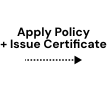
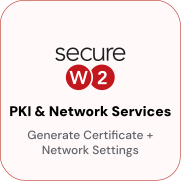
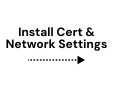
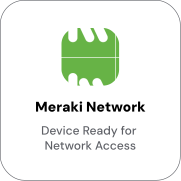
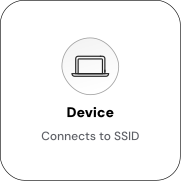
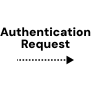
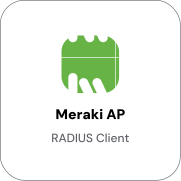
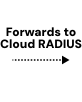
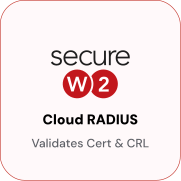
The device presents a certificate during the EAP-TLS handshake. The Meraki AP proxies the 802.1X request to JoinNow Cloud RADIUS, which validates the certificate and evaluates identity, role, and device posture before returning an accept or reject.
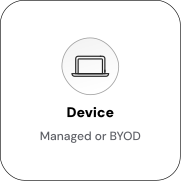
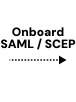

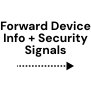
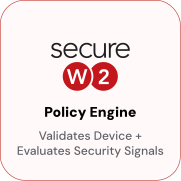
Dynamic VLAN Assignment via RADIUS Attributes
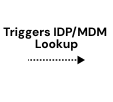
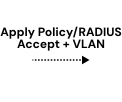
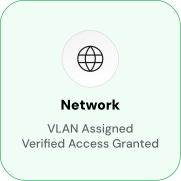
Cloud RADIUS evaluates user role and device posture from connected IdP and MDM, then returns the appropriate VLAN attribute with each Access-Accept. Meraki APs enforce the assignment automatically. Staff, contractors, and BYOD land on separate VLANs at authentication time, with no manual configuration per device.
Use Cases
Deployment & Architecture Detail
PSK and PEAP Replacement
Shared-password Wi-Fi , whether a single PSK broadcast across the organization or PEAP-MSCHAPv2 with user passwords, carries inherent risk. A compromised PSK grants access to any device. PEAP credentials can be phished through rogue access points. Certificates eliminate both attack surfaces.
With EAP-TLS, each device holds a unique certificate bound to its hardware credential store. There is no shared secret to steal and no password to phish. An attacker who captures network traffic gains no credential that can be replayed on another device. Cloud RADIUS validates the certificate's chain of trust, expiry, and revocation status at every connection attempt, then performs a live identity provider lookup to confirm the user is still active and authorized.
Webhook-Based Certificate Lifecycle Automation
SecureW2 manages the entire certificate lifecycle—issuance, renewal, and revocation—automatically without manual intervention on the Meraki AP. Certificates are issued with a configurable validity period and renewed automatically before expiry. On MDM-managed devices, renewal is pushed silently as a new profile, while on JoinNow-enrolled devices, the network profile triggers silent renewal, replacing the expiring certificate without user prompts. Suspension is immediate; if a device is flagged as non-compliant, lost, stolen, or unenrolled, SecureW2 disconnects the device in real time.
Cloud RADIUS checks the revocation list at each EAP-TLS authentication, denying access if revoked, with no action needed from the Meraki AP. This model removes the need for manual certificate management. Administrators set revocation policies based on IdP group membership, MDM compliance, or manual actions, with enforcement automatic across all Meraki APs.
Frequently Asked Questions
Meraki Integration — Common Questions
How long does it take to set up SecureW2 with Meraki networks?
Setup time is measured in hours because SecureW2 eliminates the heavy lifting normally associated with building PKI and RADIUS infrastructure. By connecting Meraki directly to SecureW2’s Cloud RADIUS and integrating our Dynamic PKI with your environment, organizations can quickly enforce EAP-TLS for Wi-Fi and certificate-backed access for VPN. Once identity provider and MDM integrations are established, policy-based Zero Trust controls are applied in real time, dramatically accelerating the path to passwordless network access.
Which Meraki products are supported with SecureW2?
SecureW2 fully supports Meraki wireless access points and AnyConnect VPN. By integrating directly with Meraki’s 802.1X infrastructure, SecureW2 provides certificate-based authentication for Wi-Fi, dynamic VLAN segmentation, and secure remote access. Whether the environment is a small branch deployment or a global distributed network, SecureW2’s cloud-native PKI and RADIUS scale seamlessly across all Meraki product lines without requiring additional hardware.
How are certificates deployed to devices in a Meraki environment?
Certificates are deployed through different methods depending on device ownership. For managed endpoints, SecureW2 integrates with MDM platforms such as Intune, Jamf, or Workspace ONE to silently issue and install certificates without user intervention. For unmanaged or BYOD devices, users are guided through SecureW2’s JoinNow onboarding client to complete a self-service enrollment workflow. In both cases, certificates are automatically delivered with the correct Meraki SSID or VPN settings so that devices can immediately connect using EAP‑TLS authentication.
How does certificate renewal and revocation work for Meraki Wi-Fi and VPN?
In a Meraki deployment, SecureW2 continuously enforces Zero Trust by tying certificate renewal and revocation to user identity and device posture. Certificates are silently renewed in the background, ensuring uninterrupted access for trusted endpoints. If a device is compromised, unenrolled, or no longer compliant with MDM policies, SecureW2 can instantly revoke its certificate, blocking Wi‑Fi and VPN connectivity. This prevents unauthorized access in real time without relying on weak credentials or manual IT intervention.
What authentication protocols are supported in Meraki deployments with SecureW2?
All of the key protocols a Meraki deployment requires are supported by SecureW2 out of the box. That includes EAP‑TLS (for Wi‑Fi and wired 802.1X), SAML 2.0 (for VPN), and onboarding standards like Dynamic SCEP and ACME. SecureW2 also integrates easily with OAuth 2.0 and OpenID Connect identity flows, ensuring customers can connect their existing IdPs and MDMs. This makes deploying certificate‑based authentication with Meraki networks both secure and straightforward.
Does SecureW2 support multi-tenant or multi-SSID Meraki environments (e.g., guest vs. corporate)?
Yes. SecureW2 supports both multi‑SSID and multi‑tenant Meraki deployments, a common requirement for universities and distributed enterprises. IT teams can map different SSIDs to different onboarding portals, certificate policies, and VLAN assignments, ensuring each user group or tenant has the right level of network access. This provides a scalable way to deliver secure Wi‑Fi and VPN access across large or complex Meraki environments.
Ready to Connect Cisco Meraki Wi-Fi and VPN to SecureW2?
Connect with our integration specialists to implement this solution in your environment and transform your security posture.