
Certificate-Based Wi-Fi for Google Workspace-Managed Devices
fThe SecureW2 platform provides the PKI and RADIUS layers required to secure Google Workspace environments. When the Google Admin Console pushes an SCEP profile to a managed Chromebook, SecureW2 validates the user’s identity against Google Workspace and automatically issues a digital certificate without user interaction. JoinNow Cloud RADIUS then enforces access policies in real time by performing a live identity lookup at each authentication.
Overview
One Certificate Per Device. Zero Shared Passwords.
Automate certificate-based authentication for Chromebook fleets and Google-managed devices without user interaction or manual provisioning. When the Google Admin Console pushes SCEP certificate profiles to managed devices via Chrome Enterprise policy, the SecureW2 JoinNow platform validates identity against Google Workspace and issues a digital certificate tied to the specific user or hardware. Google Workspace serves as both the MDM for deployment and the authoritative identity provider for ongoing access control.
JoinNow Cloud RADIUS performs live identity lookups against Google Workspace at every authentication event, ensuring that network access decisions reflect real-time status, such as organizational unit membership or account status. If an administrator suspends a user or removes a device from Workspace, SecureW2 restricts network access at the next connection attempt.
Use Cases
Google Workspace as Cloud IDP for EAP-TLS
OU-Based Vlan Segmentation
How It Works
One Enrollment Path. Continuous Identity-Driven Access.
Certificate Enrollment via Chrome Enterprise SCEP
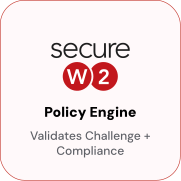
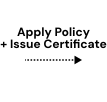
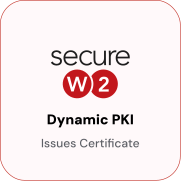
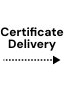
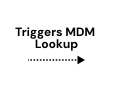
Google Admin Console pushes an SCEP certificate profile to managed Chromebooks. SecureW2 validates the requesting user or device against Google Workspace before issuing a certificate. No user interaction is required at any step.
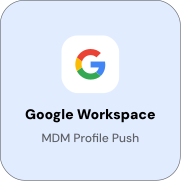
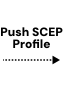
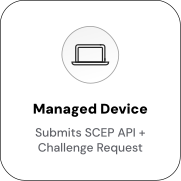
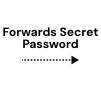
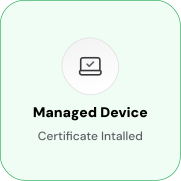
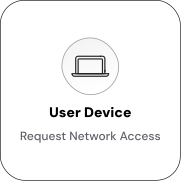
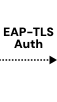
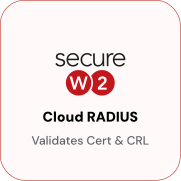
EAP-TLS Authentication with Real-Time Google Workspace Lookup
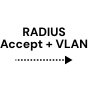
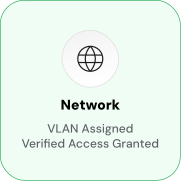
At every authentication event, Cloud RADIUS queries Google Workspace to verify that the user is still active and belongs to the correct organizational unit. VLAN assignment is determined by current Workspace OU membership; no static policy configuration per device is required.
Use Cases
Deployment & Architecture Detail
Google Workspace as Cloud IDP for EAP-TLS
SecureW2 Cloud RADIUS supports Google Workspace as a cloud identity provider for real-time attribute lookup during EAP-TLS authentication. This ensures network access decisions are based on current Google Workspace identity data, not static attributes in the certificate.
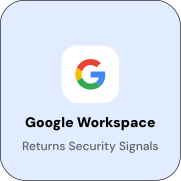
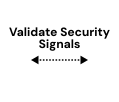
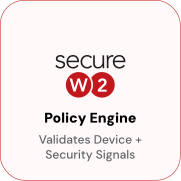
At each authentication event, the JoinNow Policy Engine queries the Google Workspace Directory API to verify the user’s account status, organizational unit membership, and group membership. It then applies the matching network access policy and returns the appropriate RADIUS attributes, such as VLAN and access level.
The attributes available for policy matching include account status (active, suspended, or deleted), organizational unit path, Google Workspace group membership, and device enrollment status. If a user account is suspended in Google Workspace, Cloud RADIUS detects this and denies access during the next connection attempt without requiring certificate revocation or MDM profile update.
OU-Based Vlan Segmentation
Google Workspace organizational unit membership determines VLAN assignment at authentication time via Cloud RADIUS. Static VLAN assignments in certificates or MDM profiles are unnecessary. Devices automatically receive the correct network segment based on their current Workspace OU. Active staff accounts can be mapped to full corporate access VLANs, students to filtered-internet VLANs, and contractors to internet-only VLANs. Suspended accounts and users not found in Workspace are denied access. This is useful in K-12 and higher education environments where students, staff, and faculty have distinct access requirements and are organized into separate OUs.
VLAN assignment is evaluated at every authentication, so changes in Workspace OU membership take effect at the next connection attempt. A student account moved to the Staff OU receives staff-level network access on the next reconnect without certificate reissuance or profile update.
Frequently Asked Questions
Google Workspace Integration — Common Questions
Does this integration work for Chromebooks specifically, or for other Chrome Enterprise devices too?
The primary use case is Chromebook certificate enrollment and Wi-Fi authentication, but the SCEP profile mechanism in Google Admin Console works with any Chrome Enterprise-managed device. The enrollment and authentication flows are the same regardless of device type. Both user-scoped and device-scoped certificate profiles are supported.
What Google Workspace API permissions does SecureW2 require?
SecureW2 requires read-only access to the Google Workspace Directory API, specifically the ability to read user records, organizational unit membership, group membership, and device enrollment status. No write permissions are required. The API credentials are entered in JoinNow during configuration of the Google Workspace Identity Lookup Provider.
What happens when a user account is suspended in Google Workspace?
At the next RADIUS authentication attempt, Cloud RADIUS queries Google Workspace and detects the account's suspended status. The Policy Engine evaluates the result and returns an Access-Reject. The device is denied network access immediately, without any certificate revocation or MDM profile update. If auto-revocation is also configured, the certificate will be revoked in the next revocation evaluation cycle, so any subsequent authentication attempts will also fail CRL validation.
Does this work for user-based certificates, device-based certificates, or both?
Both. Google Admin Console supports user- and device-scoped SCEP profiles. User-based certificates encode the user's Google Workspace identity and are used for user-aware policy decisions during RADIUS authentication. Device-based certificates encode the device's directory ID and are used for machine authentication flows. You can deploy both types in the same environment by using separate certificate profiles and enrollment policies in JoinNow.
Can network access policies use both OU membership and Google group membership?
Yes. The Google Workspace Identity Lookup Provider can return both OU and group membership. Cloud RADIUS policy rules can match either or both attributes. This enables more granular segmentation, for example, by granting elevated network access only to users who are in both the /Staff OU and the "IT Admins" Google group.
Is user interaction required during enrollment?
No. Enrollment is zero-touch for Google Workspace-managed devices. The Google Admin Console pushes the SCEP certificate profile and Wi-Fi network profile to enrolled Chromebooks as part of Chrome Enterprise policy. The device initiates the SCEP flow, contacts SecureW2, completes identity validation, and receives a certificate without prompting the user or requiring any user interaction. User interaction is required only if the enrollment flow encounters an error that requires remediation.
How does certificate renewal work for Chromebooks?
Certificate renewal is handled automatically via the same SCEP profile. When a certificate nears expiration, Chrome Enterprise re-triggers the SCEP enrollment flow, and the device receives a new certificate through the same automated pipeline. The user experiences no interruption. In JoinNow, renewal policies can be configured to control how far in advance renewal begins and whether renewed certificates receive updated attributes from Google Workspace at renewal time.
Does this integration require a specific Google Workspace edition?
The integration uses the Google Workspace Directory API, which is available across all Google Workspace editions, including Business, Enterprise, Education, and Frontline. Google Cloud Identity (standalone, without the Workspace apps suite) is also supported for organizations using Cloud Identity for device management and identity. Contact SecureW2 to confirm API availability for your specific Workspace edition before beginning configuration.
What happens if a Chromebook is removed from Google Workspace device management?
If the Google Workspace Identity Lookup is configured to check device enrollment status at RADIUS authentication time, Cloud RADIUS will detect that the device is no longer managed and deny access on the next connection attempt. If auto-revocation is enabled, SecureW2 will also revoke the device's certificate during the next revocation evaluation, ensuring that subsequent authentication attempts fail CRL validation regardless of the runtime lookup result.
Can this integration support BYOD devices alongside managed Chromebooks?
Yes. SecureW2 supports multiple enrollment paths within the same environment. Managed Chromebooks can enroll automatically via the Chrome Enterprise SCEP profile. BYOD devices (any OS) can self-enroll using JoinNow MultiOS, SecureW2's self-service onboarding application, which guides users through certificate enrollment and Wi-Fi configuration in about 60 seconds. Both device types authenticate against the same Cloud RADIUS infrastructure and can be segmented into VLANs based on their enrollment method.
Ready to Connect SecureW2 to Google Workspace?
Connect with our integration specialists to implement this solution in your environment and transform your security posture.