
SecureW2 Brings Phishing-Resistant Certificates to Check Point VPN
SecureW2 extends certificate-based trust into your Check Point environment, delivering phishing-resistant passwordless access backed by a proven PKI foundation. Deploy Certificate Distribution for SSL Inspection to manage encrypted traffic, maintain complete network visibility, and enforce identity policies across every managed and BYOD device, without disruption.
Overview
Certificate-Backed Access for Check Point, Without the EAP-TLS Wait
Elevate your Check Point network perimeter with passwordless, certificate-based security. SecureW2 pairs automated JoinNow onboarding with Cloud RADIUS to issue and manage unique digital certificates for every user device across your enterprise. By validating live user identity and device health on every connection attempt, IT teams can enforce granular access policies and execute instant, automated certificate revocations when security threats arise.
Use Cases
NPS / On-Premises RADIUS Replacement
Dynamic VLAN Assignment from Identity Attributes
How It Works
Two Paths to Trusted Identity on Check Point
VPN Authentication Flow with Real-Time Identity Lookup
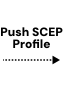
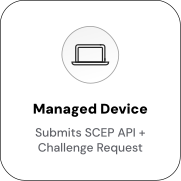
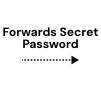
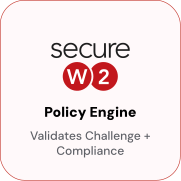
The device presents its certificate to the Check Point VPN gateway, which forwards the request to Cloud RADIUS using RADIUS. Cloud RADIUS validates the certificate and performs a live identity provider lookup to confirm the user’s status and group membership. It returns a RADIUS Accept to the gateway, which establishes the encrypted tunnel. A deprovisioned user is blocked on subsequent connection attempts without certificate revocation.

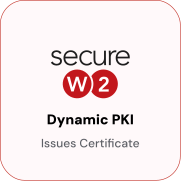
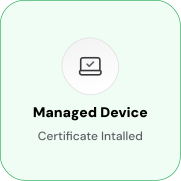


Certificate Distribution for SSL Inspection (SSLI)
JoinNow automates SSL inspection certificate distribution across Windows, macOS, iOS, Android, and ChromeOS through self-service onboarding. Devices receive and trust the Check Point inspection certificate automatically, eliminating browser warnings and manual installation across managed and BYOD fleets.


Use Cases
Deployment & Architecture Detail
On-Premises RADIUS Replacement
Organizations running WPA2-Enterprise on WatchGuard often depend on on-premises NPS servers and Active Directory Certificate Services to authenticate devices. SecureW2 eliminates that infrastructure dependency. Cloud RADIUS authenticates directly against the configured identity provider: no NPS, no domain controller, no AD CS in the path.
During enrollment, the Policy Engine validates user identity before issuing a certificate. At authentication time, Cloud RADIUS performs a live identity provider lookup, verifying account status and group membership, and returns the appropriate RADIUS response to WatchGuard. The full path runs through Cloud RADIUS and the identity provider, not on-premises infrastructure. NPS and AD CS can be decommissioned without affecting Wi-Fi or VPN access.
Branch offices and remote users authenticate the same way. Because the authentication path runs through Cloud RADIUS rather than on-premises servers, there is no dependency on domain controller reachability, VPN tunnels to reach NPS, or AD replication health.
Dynamic VLAN Assignment from Identity Attributes
Cloud RADIUS reads identity provider group membership at authentication time and maps group values to RADIUS policy attributes, including VLAN assignments. Each rule specifies a group condition and the RADIUS attributes to return when that condition is met.
Group-to-VLAN rules are defined once in Cloud RADIUS. Identity provider group management automatically drives network access. When a user moves between groups, the change takes effect at the next authentication event, no manual RADIUS policy changes required.
Frequently Asked Questions
Check Point Integration — Common Questions
How long does it take to set up the SecureW2 and Check Point Integration?
Most organizations can configure the integration in a single session by following our setup guide and working with our knowledgeable engineers. Once complete, users begin authenticating with certificates instead of passwords without requiring major changes to existing Check Point configurations.
Which authentication protocols are supported?
Check Point Security Gateways natively support client certificate authentication. SecureW2 Cloud RADIUS and Managed PKI integrate directly with Check Point to validate client certificates and query active user status and device posture from your Identity Provider (IdP). To address this, SecureW2 provides two pathways. With Cloud RADIUS and MFA, VPN sessions can be authenticated via SAML, with users assigned a unique username/password and automatically prompted for MFA. Alternatively, with SecureW2 Managed PKI, organizations can integrate our certificate authorities directly into their firewall, establishing a certificate chain of trust without relying on EAP‑TLS. Both methods give administrators flexible, secure options for removing traditional passwords from the VPN login process.
How does passwordless VPN authentication look from the end-user perspective?
From the user's perspective, connecting to Check Point with SecureW2 is seamless, users simply open the Check Point Endpoint Security client (or Mobile Access portal) and click 'connect,' and authentication occurs automatically via client certificate. The difference is behind the scenes: instead of typing a username or password, the session is authenticated automatically with a certificate issued to their device. This creates a frictionless login experience where users connect instantly and securely, without having to remember or reset passwords.
How does certificate revocation work if a device is lost, stolen, or flagged by an EDR?
SecureW2 continuously manages the full lifecycle of VPN certificates. If a device is reported lost, stolen, or flagged by endpoint security tools, its certificate is revoked using cloud‑based PKI controls. Administrators can choose to suspend it temporarily (with the option to restore later) or revoke it fully, which updates the CRL and blocks VPN access. This minimizes exposure while giving IT teams flexible control to reinstate secure access once the device is remediated.
Does Check Point support certificate-based RADIUS authentication?
Currently, Check Point cannot accept EAP‑TLS certificate authentication directly over RADIUS. SecureW2 provides two integration paths: using Cloud RADIUS with MFA to secure VPN logins with an identity‑bound, MFA‑protected credential, or deploying Managed PKI to establish a certificate trust chain within Check Point firewalls. Both methods provide strong security today and ensure that when Check Point adds EAP‑TLS support in the future, your organization will already have the full PKI infrastructure in place.
Ready to Connect Check Point to SecureW2?
Connect with our integration specialists to implement this solution in your environment and transform your security posture.