
Certificate-Based Authentication for Apple Fleets Deployed via Addigy
Addigy transforms device identity data into dynamic network policies that adapt to device trust in real time. Replace passwords and static credentials with X.509 certificates automatically deployed through Addigy. Built for MSP environments and the Apple-first teams they support.
Overview
Automated Certificate Enrollment for Addigy-Managed Apple Devices
SecureW2 integrates with Addigy to deliver ACME-based certificate enrollment for Apple devices without user interaction, shared secrets, or manual device-by-device provisioning. Certificates are issued automatically via Addigy Custom Profiles and are cryptographically bound to verified Apple hardware through Apple Managed Device Attestation (MDA), ensuring only genuine, Addigy-managed Apple devices receive certificates. This integration replaces traditional SCEP, which relies on a pre-shared key and cannot verify hardware identity, with a protocol that requires the device to prove it is genuine Apple hardware before SecureW2 issues a credential. The private key is bound to the device’s Secure Enclave and cannot be exported or reused on another device. JoinNow Dynamic PKI handles certificate issuance and lifecycle management. JoinNow Cloud RADIUS uses the resulting certificates to enforce access policy at authentication time, querying Addigy in real time at each connection attempt to confirm device enrollment status before granting network access.
Use Cases
Compliance-Driven Revocation
Dynamic VLAN Assignment
How It Works
Automate Identity-Bound Access with Addigy
ACME Enrollment Flow with Apple Managed Device Attestation
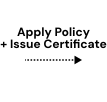
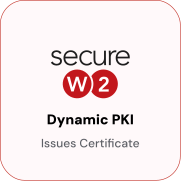
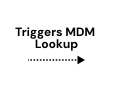
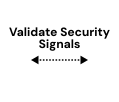
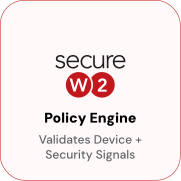
Addigy pushes an ACME Custom Profile to managed devices via Policy. When the device initiates the ACME flow, SecureW2’s Policy Engine validates the request against Apple’s hardware attestation service, confirming the device is genuine Apple hardware, then queries Addigy to confirm the device is actively enrolled and in good standing. Only devices that pass both checks receive a certificate, with the private key bound to the Secure Enclave and never exportable.




EAP-TLS Authentication with Live Addigy Compliance Lookup
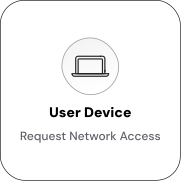
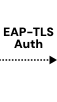
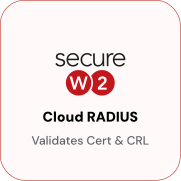
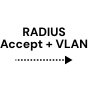
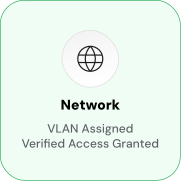
At each connection attempt, the device presents its certificate to the access point, which forwards the EAP-TLS request to Cloud RADIUS for validation. Cloud RADIUS verifies the certificate and performs a live Addygy compliance lookup, confirming the device is still enrolled and in good standing before returning a RADIUS Accept with the appropriate VLAN assignment. A device unenrolled from Addygy or flagged non-compliant receives a RADIUS Reject regardless of whether it holds a technically valid certificate.

Use Cases
Deployment & Architecture Detail
Compliance-Driven Revocation
Cloud RADIUS queries Addigy in real-time with every authentication attempt. Devices that fall out of compliance or are unenrolled from Addigy are denied network access on their next connection attempt without requiring manual certificate revocation. The Addigy Generic HTTP Identity Lookup Provider confirms device enrollment status at authentication by checking if the device’s UDID appears in the Addigy V2 API response. If a device is removed from Addigy management, the lookup fails, and Cloud RADIUS returns a RADIUS Reject, denying the connection.
The certificate itself doesn’t need to be revoked in the PKI. The live identity lookup serves as a real-time gate that supersedes the certificate’s validity window. For example, a macOS device managed in Addigy with a 1-year certificate is unenrolled mid-cycle. At the next Wi-Fi authentication attempt, Cloud RADIUS finds no matching device record and returns a RADIUS Reject, preventing the device from connecting despite holding a technically valid certificate. This model is useful for MSPs managing multi-tenant Addigy environments, as devices that leave a managed fleet are automatically locked out of network resources without requiring coordination between the MDM administrator and the network team.
Dynamic VLAN Assignment
Cloud RADIUS reads device and user attributes at authentication time and maps them to RADIUS policy attributes, including VLAN assignments. Policy rules specify conditions like device enrollment status in Addigy or certificate SAN attributes, and the RADIUS attributes to return when those conditions are met. For instance, a managed Apple device presents its certificate during Wi-Fi authentication, confirming its enrollment in Addigy, matching a policy rule for managed corporate devices, and returning VLAN 10 for full corporate access.
Unmanaged devices without valid certificates cannot complete the EAP-TLS handshake and receive no access. When a device is unenrolled from Addigy, the compliance lookup fails, and the device is placed on a restricted VLAN or rejected. VLAN rules are defined once in Cloud RADIUS, and Addigy enrollment state drives network segmentation automatically, eliminating the need for manual RADIUS policy changes when devices are added or removed from Addigy management. This model is well-suited to MSP environments where multiple client tenants share the same RADIUS infrastructure but require isolated network segments.
Frequently Asked Questions
Addigy Integration — Common Questions
Why use ACME instead of SCEP for Addigy-managed Apple devices?
ACME integrates with Apple Managed Device Attestation, which cryptographically proves that the device is genuine Apple hardware before SecureW2 issues a certificate. SCEP relies on a static pre-shared challenge password that is the same for every device in the deployment. If the challenge is compromised, it can be reused by any device. ACME eliminates the shared secret entirely. For Apple devices running supported OS versions, ACME is the stronger option. Apple recommends ACME for MDM-managed device certificate enrollment because hardware attestation is built into the protocol.
What Addigy API permissions does SecureW2 require?
SecureW2 requires an Addigy V2 API token with the "View Devices" permission. No write access is required. Enter the token in JoinNow when configuring the Generic HTTP Identity Lookup Provider. The API is called at enrollment to verify that the requesting device is enrolled in Addigy. The API URI is https://api.addigy.com/api/v2/mdm/devices/${identity}.
What happens if a device passes Apple attestation but is not found in Addigy?
The device does not receive a certificate. The enrollment flow requires both attestation validation (from Apple's attestation server) and identity confirmation (from the Addigy API). Passing either check alone is insufficient. A device that is genuine Apple hardware but not enrolled in Addigy fails at the identity lookup step, and the Policy Engine rejects the certificate request.
What Apple device types and OS versions are supported?
The integration supports iOS and macOS devices that support the ACME protocol and Apple Managed Device Attestation. ACME with MDA requires iOS 16+ and equivalent macOS releases. Devices running older OS versions that do not support ACME are not compatible with this integration path. If your fleet includes devices running older OS versions, contact SecureW2 to discuss options.
Is user interaction required during enrollment?
No. Enrollment is zero-touch. Addigy pushes the Custom Profile containing the ACME payload to managed devices. The device initiates the ACME flow, contacts Apple for attestation, SecureW2 validates the attestation and confirms identity with Addigy, and the certificate is issued and installed, all without the user seeing a prompt or clicking anything.
What is the EEA add-on, and is it required?
The Enterprise Enrollment and Attestation (EEA) add-on is a JoinNow CloudConnector subscription feature that supports ACME-based enrollment and Apple MDA attestation. It is required for this integration. If you have an existing JoinNow subscription and are unsure whether EEA is included, contact SecureW2 to confirm your entitlements before starting configuration.
Ready to Connect SecureW2 to Addigy?
Connect with our integration specialists to implement this solution in your environment and transform your security posture.