
Certificate-Based Authentication for Windows Enterprise Fleets via SCCM
Replace NDES and static SCEP secrets with JoinNow CloudConnector, a cloud-based SCEP gateway that integrates with SCCM Certificate Registration Point without replacing your infrastructure. Certificates are stored in the Windows TPM and validated by Cloud RADIUS against live Entra ID or Active Directory state at every connection, supporting hybrid-joined fleets and SCCM co-management environments.
Overview
Cloud PKI for SCCM Replace NDES Without Replacing Your Infrastructure
SecureW2 integrates with Microsoft Endpoint Configuration Manager (SCCM/MECM) to provide certificate-based authentication for Windows enterprise devices without static shared secrets, on-premises NDES infrastructure, or manual provisioning. JoinNow CloudConnector replaces the Network Device Enrollment Service (NDES) as a cloud-based SCEP gateway, allowing SCCM-managed Windows devices to receive certificates from JoinNow Dynamic PKI through the standard SCCM Certificate Registration Point workflow. Certificates are stored in the Windows TPM using the TPM Key Storage Provider, binding each certificate to the hardware it was issued to.
JoinNow Cloud RADIUS enforces access policy at authentication time using real-time identity lookups against Active Directory or Microsoft Entra ID. This integration is designed for Windows enterprise environments, including hybrid-joined fleets and organizations using SCCM co-management with Microsoft Intune. SCCM manages device enrollment and certificate profile distribution; only the SCEP endpoint URL changes from NDES to CloudConnector.
Use Cases
WSTEP Certificate Enrollment for SCCM-Managed Windows Devices
Co-Management Migration Without Breaking PKI
How It Works
Automate Certificate Enrollment via SCCM
Dynamic SCEP Enrollment via SCCM and JoinNow CloudConnector
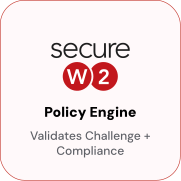
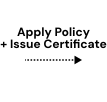
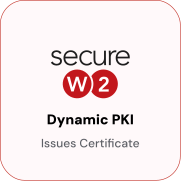
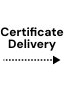
JoinNow CloudConnector replaces NDES as the SCEP gateway while preserving the SCCM Certificate Registration Point workflow. The CRP forwards the device’s SCEP request to CloudConnector, which validates the device against Active Directory or Entra ID before authorizing certificate issuance. The issued certificate is stored in the Windows TPM via the TPM Key Storage Provider, and the private key is generated and never exported.



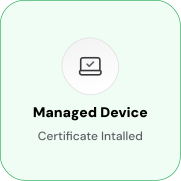
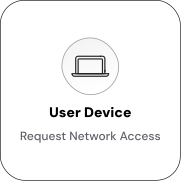
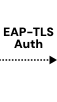
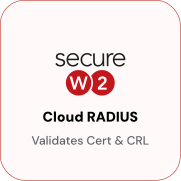
EAP-TLS Authentication with Entra ID / Active Directory Lookup
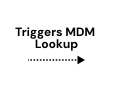
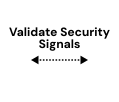
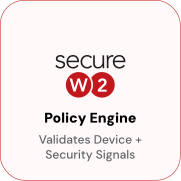
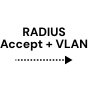
Cloud RADIUS validates the TPM-bound certificate and queries Entra ID or Active Directory for live identity and compliance state. At each connection attempt, the EAP-TLS handshake triggers a real-time directory lookup. If the device’s account is disabled or removed since the certificate’s issuance, access is denied immediately. Cloud RADIUS returns a RADIUS Accept with VLAN assignment for compliant devices, or a Reject for disabled, unenrolled, or non-compliant ones.

Use Cases
Deployment & Architecture Detail
WSTEP Certificate Enrollment for SCCM-Managed Windows Devices
WSTEP (WS-Trust Enrollment Protocol) is a Windows-native certificate enrollment protocol that uses WS-Trust for authentication and authorization. Unlike SCEP, which requires a per-device challenge, domain-joined Windows devices authenticate enrollment requests using Kerberos machine credentials, establishing trust through domain membership. SecureW2 supports WSTEP enrollment via CloudConnector, enabling SCCM-managed devices to request certificates through the WS-Trust path without requiring a SCEP profile or challenge URL.
WSTEP is ideal for environments with restricted SCEP traffic, where Kerberos is preferred for internal services, or where organizations have Windows Certificate Enrollment Policy (CEP) and Certificate Enrollment Service (CES) infrastructure. CloudConnector replaces the on-premises CES endpoint, eliminating the need for internal CES servers while preserving the Kerberos-authenticated enrollment workflow familiar to SCCM administrators.
SCCM distributes enrollment configuration to managed devices through standard Configuration Items. The device initiates the WSTEP request using its machine credentials, the Policy Engine validates the machine account against Active Directory, and Dynamic PKI issues the certificate. The enrolled certificate is stored in the Windows machine certificate store and, optionally, generated using the TPM Key Storage Provider for hardware binding.
Co-Management Migration Without Breaking PKI
Organizations transitioning from SCCM-only to Intune co-management typically run both platforms simultaneously. SecureW2 supports both without certificate migration. SCCM devices receive certificates via CloudConnector-based Dynamic SCEP, while Intune devices transition to Intune SCEP with the same SecureW2 CA.
Both enrollment paths issue certificates from the same SecureW2 CA hierarchy, so SCCM and Intune devices authenticate on the same Wi-Fi network under the same Cloud RADIUS policy. There’s no split RADIUS configuration, separate certificate authority, or network disruption during migration.
IT teams can migrate at their own pace. The certificate infrastructure remains stable, and Cloud RADIUS enforces the same access policy regardless of the device’s management path. No coordination with the network team is required at each migration milestone.
Frequently Asked Questions
Microsoft SCCM Integration — Common Questions
What exactly does JoinNow CloudConnector replace, and what does SCCM continue to do?
CloudConnector replaces NDES the Network Device Enrollment Service and the on-premises AD CS CA that NDES fronts. SCCM continues to do everything it already does: distribute certificate profile Configuration Items to managed devices, manage the Certificate Registration Point, and deliver the Wi-Fi or VPN configuration profiles that reference the enrolled certificate. The only change on the SCCM side is that the CRP's SCEP server URL points to the CloudConnector endpoint instead of the NDES URL. From SCCM's perspective, CloudConnector is a SCEP server. The underlying CA and issuance logic have moved to JoinNow Dynamic PKI in the cloud.
Does this integration still require Active Directory on-premises?
Not strictly, but most SCCM environments are AD-joined and CloudConnector can query AD at enrollment time to validate that the requesting device has a valid computer account. If your environment is Entra hybrid-joined, you can query either AD or Entra ID (or both) for identity validation. If you are running a pure Entra ID environment without on-premises AD, you can configure JoinNow with an Azure Identity Lookup Provider using the Microsoft Graph API. The SCEP enrollment flow itself does not require AD, but a working identity lookup is required to enforce per-device certificate issuance policy.
We run SCCM co-management with Intune. Which integration applies to which devices?
Co-management splits device workloads between SCCM and Intune. Devices whose certificate enrollment workload is owned by SCCM follow this integration path SCEP via CloudConnector, enrolled through the SCCM Certificate Registration Point. Devices whose certificate enrollment workload has been shifted to Intune should use the SecureW2 Intune integration, which uses the Intune CA API rather than a SCEP gateway. Both integrations can run in parallel in a co-managed environment. Check your co-management workload assignments in the SCCM console to determine which path applies to each device group.
Is a TPM required for this integration?
TPM is required if you want hardware-bound certificates. For enterprise Windows laptops and desktops manufactured after 2016, TPM 2.0 is standard. If you configure the certificate template to require the TPM Key Storage Provider (Microsoft Platform Crypto Provider), enrollment will fail on devices without a TPM which is the correct behavior. You can create a separate certificate profile for non-TPM devices using the software KSP, but those certificates are exportable and do not carry the same hardware binding guarantees. We recommend auditing your fleet for TPM 2.0 presence before deploying the TPM-required profile at scale; SCCM hardware inventory can report this.
What is the migration path from NDES to JoinNow CloudConnector?
The migration has four steps. First, configure JoinNow Dynamic PKI with an Intermediate CA and certificate template matching the attributes your current AD CS templates issue. Second, deploy a new SCCM certificate profile Configuration Item pointing the SCEP URL at CloudConnector and deploy it to a pilot device group verify that devices receive certificates and that Cloud RADIUS authenticates them successfully. Third, expand the CloudConnector-issued certificate profile to the full managed device population. Fourth, once all devices are operating off CloudConnector-issued certificates, decommission NDES and the AD CS CA roles. AD CS-issued certificates and JoinNow-issued certificates can both be trusted by Cloud RADIUS simultaneously during migration.
Can Cloud RADIUS coexist with an existing on-premises NPS or RADIUS server during migration?
Yes. Most Wi-Fi controllers and VPN gateways support configuring multiple RADIUS servers with failover or load-balancing. During a migration, you can configure Cloud RADIUS as a secondary RADIUS server while NPS remains primary, then promote Cloud RADIUS to primary once you have validated the EAP-TLS authentication flow and confirmed certificate enrollment across the fleet. PEAP-MSCHAPv2 and EAP-TLS can coexist on the same SSID during the transition period. No forced cutover is required.
Ready to Connect SecureW2 to Microsoft SCCM?
Connect with our integration specialists to implement this solution in your environment and transform your security posture.