
Certificate-Based Authentication Across Every Platform Unified via Workspace One
Deploy X.509 certificates to iOS, Android, macOS, and Windows through Workspace ONE UEM, ACME for Apple devices with hardware attestation, Dynamic SCEP for Windows and Android via Workspace ONE’s built-in SCEP relay. Cloud RADIUS enforces live Workspace ONE compliance at every connection and integrates with CrowdStrike and Entra ID for multi-signal posture enforcement across the entire fleet.
Overview
Enterprise Certificate Enrollment Across iOS, Android, macOS, and Windows
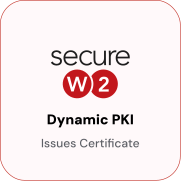
SecureW2 integrates with VMware Workspace ONE UEM to automate certificate enrollment across iOS, Android, macOS, and Windows devices without shared secrets, user interaction, or manual provisioning. Workspace ONE configuration profiles issue certificates using ACME for Apple devices and Dynamic SCEP for Windows and Android, with JoinNow Dynamic PKI handling issuance and lifecycle management.
JoinNow Cloud RADIUS enforces access policy at authentication time by performing a live compliance lookup against Workspace ONE at every connection attempt. Devices that fall out of compliance lose network access automatically. Large enterprises running Workspace ONE alongside CrowdStrike and Entra ID benefit from a direct multi-signal integration: SecureW2 queries Workspace ONE for device enrollment state, Entra ID for user identity and group membership, and CrowdStrike for device risk score, combining all three into a single RADIUS policy decision that enforces consistent access standards across platforms.
Use Cases
ACME Enrollment for Apple Devices
Multi-Signal Posture Enforcement with CrowdStrike and Entra ID
How It Works
Automate Certificate Enrollment via Workspace ONE UEM
Dynamic SCEP for Windows and Android via SCEP Proxy Relay
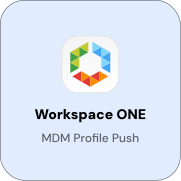
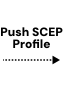
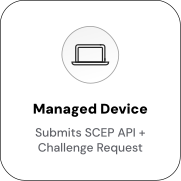
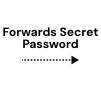
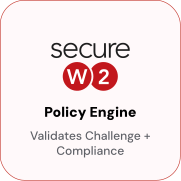
Workspace ONE’s built-in SCEP proxy relay forwards certificate requests to JoinNow CloudConnector, generating a unique per-device challenge for each request. This challenge is verified by CloudConnector to ensure that the requesting device is a known managed device in Workspace ONE, eliminating the static shared secret used in traditional SCEP. Since the challenge is valid for a single use and tied to the specific device identity, it cannot be intercepted and replayed by another device.
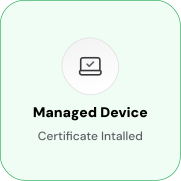
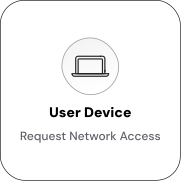
Automate Network Access & Segmentation via Workspace One Signals
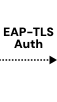
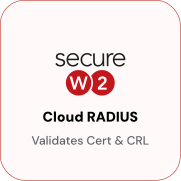
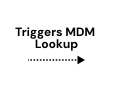
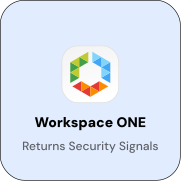
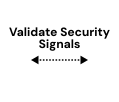
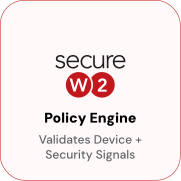
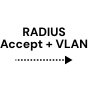
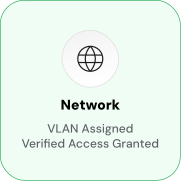
Cloud RADIUS dynamically manages access controls by querying Workspace ONE user and device attributes during every authentication event. This eliminates the need for static VLAN assignments and manual policy updates. During the EAP-TLS handshake, the device presents its certificate, which is validated by Cloud RADIUS. It then retrieves group membership, compliance state, and enrollment status from Workspace ONE. Based on these attributes, RADIUS policy maps them to network outcomes. Compliant devices gain full access on their assigned VLAN, while non-compliant devices are restricted to a restricted segment. Unenrolled devices are denied access before reaching internal resources.
Use Cases
Deployment & Architecture Detail
ACME Enrollment for Apple Devices
ACME (Automatic Certificate Management Environment) is Apple’s preferred enrollment protocol for devices. It integrates with Apple Managed Device Attestation (MDA) to cryptographically prove a device’s identity before issuing credentials.
When a device initiates ACME enrollment, it contacts Apple’s attestation server, which returns a signed attestation statement containing the device’s serial number, hardware model, unaltered OS image confirmation, and proof that the certificate private key is bound to the Secure Enclave.
After validating attestation, the JoinNow Policy Engine queries Workspace ONE Identity Lookup Provider to confirm active management in Workspace ONE UEM. SecureW2 cross-references the attested serial number against Workspace ONE device records. Devices that pass hardware attestation but aren’t found in Workspace ONE don’t receive certificates. Supported platforms are macOS, iOS (16+), and iPadOS (16+).
Once configured, enrollment is automated. Workspace ONE distributes the .mobileconfig profile through standard deployment, and devices enroll without user interaction.
Multi-Signal Posture Enforcement with CrowdStrike and Entra ID
Cloud RADIUS evaluates multiple posture signals simultaneously at every authentication event. In a Workspace ONE environment co-deployed with CrowdStrike Falcon and Microsoft Entra ID, JoinNow queries Workspace ONE for device enrollment and compliance state, Entra ID for user identity and group membership, and CrowdStrike for real-time device risk score at each connection attempt. Each signal is evaluated independently, and policy rules define how combinations map to access outcomes.
A device can be fully compliant in Workspace ONE but denied access if CrowdStrike flags an active threat. The RADIUS policy enforces both conditions. A device that clears all three checks receives access on the VLAN determined by its Entra ID group membership. This closes the gap between endpoint security and network admission. A CrowdStrike detection triggers automatic network isolation at the device’s next connection attempt, without administrator intervention.
CrowdStrike integration is available in the SecureW2 Apex Ultimate bundle. The Workspace ONE Identity Lookup Provider and Entra ID lookup are available in standard JoinNow configurations. All three can be chained in a single RADIUS policy rule with no additional infrastructure required.
Frequently Asked Questions
Workspace One Integration — Common Questions
How is SecureW2 configured as the External CA in Workspace ONE UEM?
In the Workspace ONE UEM console, navigate to System > Enterprise Integration > Certificate Authorities. Add SecureW2 as a new Certificate Authority and select the type as "External." You will provide SecureW2's SCEP URL and the SCEP challenge endpoint. Workspace ONE uses this configuration to route SCEP requests from managed devices to SecureW2 for certificate issuance. On the SecureW2 side, a SCEP API Token is created in JoinNow and the resulting endpoint URL and credentials are entered in the Workspace ONE CA configuration.
What is the Workspace ONE SCEP proxy relay and how does it affect the integration?
Workspace ONE UEM includes a built-in SCEP relay that acts as an intermediary between managed devices and the configured External CA. When a device requests a certificate, it sends the SCEP request to Workspace ONE not directly to SecureW2. Workspace ONE proxies the request to SecureW2's SCEP endpoint. This means managed devices do not need direct network access to SecureW2's SCEP URL. The relay also handles the SCEPChallenge webhook flow that Dynamic SCEP depends on. For organizations with strict network segmentation, the proxy model is an advantage: only Workspace ONE UEM needs outbound access to SecureW2's endpoints.
What is the difference between Workspace ONE Access and Workspace ONE UEM?
Workspace ONE UEM is the device management layer it manages enrollment, compliance, profiles, and app delivery. Workspace ONE Access is the identity and SSO layer it handles SAML-based application access and acts as an identity broker. The SecureW2 certificate enrollment integration is with Workspace ONE UEM. The UEM is what pushes SCEP and ACME profiles to devices and what SecureW2 queries for device compliance during RADIUS authentication. If your organization uses Workspace ONE Access as a SAML provider, SecureW2 can integrate with it separately for BYOD self-service onboarding, but that is a different configuration path.
Does the Broadcom acquisition of VMware affect this integration?
As of 2024, Broadcom completed its acquisition of VMware, and the Workspace ONE product line is now part of Broadcom's portfolio under the VMware by Broadcom brand. The underlying product Workspace ONE UEM continues to function as it did before the acquisition. The APIs that SecureW2 uses for device lookup, the SCEP External CA configuration in the UEM console, and the SCEP relay behavior are unchanged. Customers running Workspace ONE UEM on current versions have no integration changes required.
Can SecureW2 work alongside CrowdStrike Falcon in a Workspace ONE environment?
Yes. Cloud RADIUS can be configured with multiple Identity Lookup Providers that are evaluated in sequence at authentication time. In a co-deployed environment, JoinNow queries Workspace ONE UEM for device enrollment and compliance status, Entra ID for user identity and group membership, and CrowdStrike for device risk score all as part of a single RADIUS authentication decision. Policy rules in JoinNow map combinations of these signals to access outcomes. For example, a policy can deny access if the CrowdStrike risk score exceeds a threshold, regardless of whether the device is compliant in Workspace ONE. CrowdStrike integration is available in the Apex Ultimate bundle.
What happens when a device is unenrolled or wiped from Workspace ONE UEM?
When a device is unenrolled or wiped from Workspace ONE, SecureW2's auto-revocation process detects that the device is no longer present in its managed Smart Group or Static Group during the next revocation evaluation. The device's certificate is revoked automatically. At the next network authentication attempt, Cloud RADIUS checks the certificate against the CRL and denies access. The device loses network access without any manual administrator action. The auto-revocation workflow uses a Read-Only API user configured in JoinNow with Workspace ONE API credentials no write permissions to Workspace ONE are required.
Ready to Connect SecureW2 with Workspace ONE?
Connect with our integration specialists to implement this solution in your environment and transform your security posture.