
Certificate-Based Wi-Fi for Apple Fleets Education and Business with Mosyle
Mosyle transforms device identity data into dynamic network policies that adapt to device trust in real time. Replace shared Wi-Fi passwords with phishing-resistant certificates automatically deployed through Mosyle. Every device on campus or in the office authenticates with its own credential.
Overview
One Certificate Per Device. Zero Shared Passwords.
SecureW2 integrates with Mosyle to deliver automated certificate enrollment for Apple device fleets, replacing shared Wi-Fi passwords and PSKs with unique, phishing-resistant certificates issued through Mosyle configuration profiles. In K-12 schools and higher education, this eliminates the single biggest network security gap: the shared password posted on the classroom whiteboard. Each iPad and Mac receives its own certificate during MDM enrollment, and Mosyle distributes it without any user interaction required.
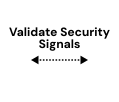
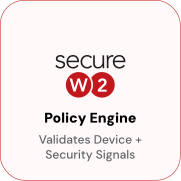
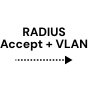
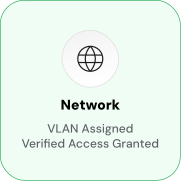
ACME, the preferred enrollment path for supported Apple devices, combines the standard ACME protocol with Apple hardware attestation to verify device authenticity before any certificate is issued. For older devices or non-ACME environments, Dynamic SCEP generates a unique per-device challenge at enrollment, eliminating the static shared secret used in traditional SCEP. JoinNow Cloud RADIUS enforces access policy at authentication by reading the live Mosyle device state to assign VLANs, segment student and staff traffic, and automatically revoke access when a device leaves management.
Use Cases
ACME Enrollment with Apple Hardware Attestation
Shared iPad Considerations for Education
How It Works
Automate Certificate Enrollment via Mosyle
Dynamic SCEP Enrollment for Older Devices
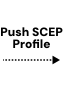
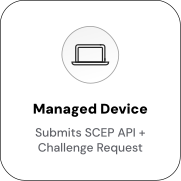
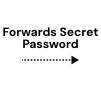
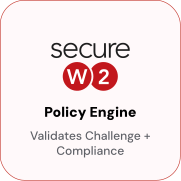
For devices that do not support ACME, Mosyle delivers an SCEP profile with a unique per-device challenge. JoinNow CloudConnector generates the challenge after verifying the device’s managed status in Mosyle, eliminating the static shared secret used in traditional SCEP.

Automate Network Access & Segmentation via Mosyle Signals
For devices that do not support ACME, Mosyle delivers an SCEP profile with a unique per-device challenge. JoinNow CloudConnector generates the challenge after verifying the device’s managed status in Mosyle, eliminating the static shared secret used in traditional SCEP.
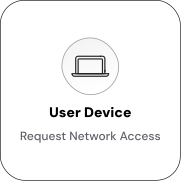
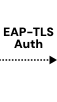
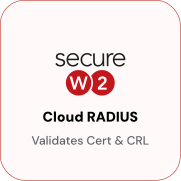
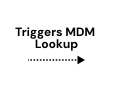

Use Cases
Deployment & Architecture Detail
ACME Enrollment with Apple Hardware Attestation
ACME is the preferred enrollment protocol for Apple devices because it integrates with Apple's hardware attestation mechanism. When a device initiates ACME enrollment, it contacts Apple's attestation server, which returns a signed attestation statement that includes the device's serial number, hardware model, confirmation that the OS has not been tampered with, and proof that the certificate's private key is bound to the device's Secure Enclave, a dedicated coprocessor whose keys cannot be exported or copied.
SecureW2's ACME API Gateway validates Apple's cryptographic signature, and then the JoinNow Policy Engine queries the Mosyle Identity Lookup Provider to confirm that the device is actively managed in Mosyle. A device that passes hardware attestation but is not found in Mosyle does not receive a certificate. ACME enrollment is supported on macOS, iOS 16+, and iPadOS 16+, and Mosyle distributes the profile through standard configuration profile deployment.
Once enrolled, the device stores a certificate in its Secure Enclave that cannot be extracted, copied, or shared. If a device leaves Mosyle management, SecureW2 detects the change during the next revocation evaluation and automatically revokes the certificate. The device fails EAP-TLS on the next connection attempt.
Shared iPad Considerations for Education
Mosyle Manager's Shared iPad mode lets multiple students use a single physical iPad, each signing in with their Managed Apple ID for a separate home screen session. This means certificates must be scoped to match how access policy is enforced. Device-scoped certificates are the default and preferred configuration for network authentication in most Shared iPad deployments.
The certificate is issued to the device during MDM enrollment and remains on it regardless of which student is logged in, allowing the iPad to connect to school Wi-Fi without each student authenticating individually. User-scoped certificates are installed per user session and removed at logout; they enforce per-student network policy but require the enrollment flow to run at each login, adding latency at sign-in.
The recommended K-12 approach uses device-scoped certificates issued via the Mosyle device enrollment profile, with the JoinNow certificate template encoding device identity attributes, such as the device serial number and device client ID, rather than user attributes like UPN or email. Per-student network segmentation, for example, different grade levels on different VLANs, is handled at the RADIUS layer, where Cloud RADIUS reads group attributes at authentication time and applies policy accordingly, without requiring separate certificates per student.
Frequently Asked Questions
Mosyle Integration — Common Questions
What is the difference between Mosyle Manager and Mosyle Business, and does the integration work with both?
Mosyle Manager is designed for K-12 schools and educational institutions and includes features specific to those environments, such as Shared iPad support, Apple School Manager integration, classroom management, and education-focused app management. Mosyle Business is aimed at corporate Mac and iOS fleets and focuses on device management, security policy enforcement, and enterprise app deployment. The SecureW2 SCEP and ACME certificate enrollment integration works with both products. Both support SCEP profile deployment and ACME profile payloads via standard Apple MDM mechanisms. The primary configuration difference is how you scope the certificate template; education deployments often use device-scoped certificates for Shared iPad, while Mosyle Business deployments typically use user-scoped or device-scoped certificates based on the organization's policy requirements.
How does certificate enrollment work for Shared iPad mode?
In Shared iPad mode, you have two options. The most common approach is device-scoped enrollment: the certificate is issued to the device during MDM profile deployment and remains on the device regardless of which student is signed in. The device presents this certificate when connecting to Wi-Fi, ensuring consistent network access for all users of that iPad. The second option is user-scoped enrollment, in which a certificate is issued per student at login and removed when the student logs out. User-scoped certificates enable per-student network policies but require the enrollment flow to run at each login, adding latency. For most K-12 Wi-Fi use cases, device-scoped certificates are the right choice. Configure the JoinNow certificate template to encode the device serial number and device client ID in the SAN fields rather than the student's UPN or email.
How do I configure the SCEP profile in Mosyle to point to SecureW2?
In Mosyle Manager or Mosyle Business, navigate to the device profile configuration and add an SCEP payload. Set the Server URL to the SecureW2 Dynamic SCEP endpoint generated in your JoinNow management portal. In JoinNow's CloudConnector settings, configure Mosyle as the webhook source. This allows JoinNow to generate a per-device dynamic challenge rather than relying on a static password. The Subject fields in the Mosyle SCEP payload should match what you've configured in the JoinNow certificate template. The Mosyle SCEP profile is deployed to devices as part of a standard configuration profile, the same way any other Mosyle configuration payload is distributed.
Can SecureW2 create separate network segments for student and staff devices managed in Mosyle?
Yes. Cloud RADIUS evaluates device group membership from Mosyle at authentication time and applies VLAN assignment based on policy rules configured in JoinNow. A common setup is to create separate Mosyle device groups for students and staff, then configure JoinNow RADIUS policies that map each group to a different VLAN. Student devices on VLAN 20 receive filtered internet access; staff devices on VLAN 10 receive access to internal systems. Because the VLAN is assigned dynamically at each authentication based on the current Mosyle group state, changes in group membership take effect at the next network connection no certificate reissuance required.
What happens when a device is removed from Mosyle management?
When a device is unenrolled or wiped from Mosyle, SecureW2's auto-revocation process detects that the device is no longer in its managed group during the next revocation evaluation. The device's certificate is revoked automatically. At the next network authentication attempt, Cloud RADIUS checks the certificate against the CRL and denies access. No administrator action is required. For Mosyle Business deployments where staff devices are closely tied to employment status, this means that a departing employee's device loses Wi-Fi and VPN access as soon as it is removed from Mosyle without a separate credential revocation step.
Does this integration support ACME for iPads running older iOS versions?
ACME with Apple hardware attestation requires iOS 16 or later and iPadOS 16 or later. Devices running earlier versions can use Dynamic SCEP as the enrollment path. Dynamic SCEP does not provide hardware-level attestation, but it eliminates the static shared-secret vulnerability by generating a unique per-device challenge at enrollment. In mixed-fleet environments, for example, a school with both newer and older iPads in circulation, you can configure both ACME and Dynamic SCEP profiles in Mosyle and scope each to the appropriate device group. Devices that support ACME receive the stronger attestation-backed certificate; older devices receive Dynamic SCEP certificates.
Ready to Connect SecureW2 to Mosyle?
Connect with our integration specialists to implement this solution in your environment and transform your security posture.