
Cloud-Native PKI and RADIUS for Intune-Managed Devices
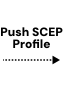
The SecureW2 platform replaces AD CS and NPS with a fully cloud-native certificate authority and RADIUS service that connects directly to Intune. When Intune pushes an SCEP profile to a managed device, SecureW2 validates the device using the Microsoft Third-Party CA API and issues a digital certificate automatically without user interaction.
Overview
Certificate-Based Wi-Fi for Intune no On-Prem PKI Required
SecureW2 integrates with Microsoft Intune to replace password-based Wi-Fi authentication with x.509 certificates for Intune-managed devices without on-premises PKI infrastructure, NPS, or user interaction at enrollment. Intune handles MDM enrollment and profile distribution; SecureW2 handles certificate issuance, lifecycle management, and RADIUS authentication. When a device enrolls in Intune, it automatically receives an SCEP certificate profile. SecureW2 acts as the certificate authority and validates each enrollment request against Microsoft’s Third Party CA API before issuing a certificate confirming the device is genuinely Intune-managed. At authentication, JoinNow Cloud RADIUS performs a live Microsoft Graph API lookup to verify that the authenticating user and device are still active and enrolled. If a device is unenrolled or a user account is disabled after certificate issuance, Cloud RADIUS detects this at the next authentication attempt and denies access.
Use Cases
Dynamic VLAN Assignment from Intune Attributes
AD CS and NPS Replacement
How It Works
Enrollment Validated by Intune – Authentication Validated by Graph API
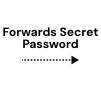
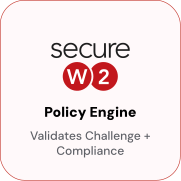
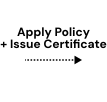
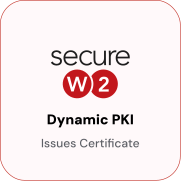
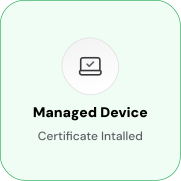
Dynamic SCEP Enrollment with Intune Third Party CA Validation
Before SecureW2 issues a certificate, the device must be confirmed as Intune-managed via Microsoft’s Third-Party CA API. Each device receives a unique per-device challenge that cannot be reused by another device and is valid for a single enrollment.


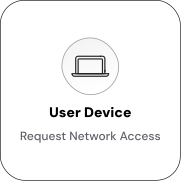
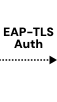
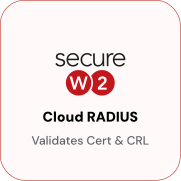
EAP-TLS Authentication with Live Microsoft Graph API Lookup
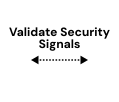
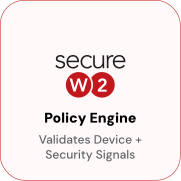
At every authentication event, Cloud RADIUS queries the Microsoft Graph API to confirm that the authenticating user is active in Entra ID and that the device is still enrolled in Intune. Unenrollment and account deprovisioning take effect at the next connection attempt. No certificate revocation is required.


Use Cases
Deployment & Architecture Detail
Dynamic VLAN Assignment from Intune Attributes
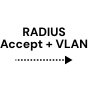
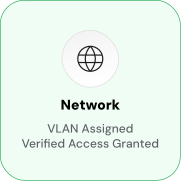
Cloud RADIUS reads Intune device management state and Entra ID group membership at authentication and maps them to RADIUS policy attributes, including VLAN assignments. No static VLAN assignments are stored in the certificate. Policy outcomes reflect the device's current state. A managed, compliant device in the "Corporate" Entra ID group matches the corporate policy and receives full corporate access on VLAN 10. A managed but non-compliant device is placed on a restricted, internet-only segment on VLAN 20.
A device not found in Intune matches no policy and is denied access entirely. Because VLAN assignment is evaluated at every authentication, changes in Entra ID group membership or Intune compliance state take effect at the next connection attempt. No certificate reissuance, profile update, or manual RADIUS policy change is required.
AD CS and NPS Replacement
Microsoft's cloud-native stack manages devices (Intune) and identity (Azure AD / Entra ID), but does not include a cloud RADIUS or cloud PKI replacement for WPA2-Enterprise authentication. SecureW2 fills that gap. Dynamic PKI replaces AD CS as the issuing CA, Cloud RADIUS replaces NPS as the RADIUS server for network authentication, Intune replaces the traditional MDM, and Azure AD replaces Active Directory as the identity source for RADIUS lookups.
The migration follows a clear path. First, connect SecureW2 to Intune as the certificate authority and configure the Policy Engine to use Microsoft's Third Party CA API for enrollment validation. Next, deploy certificates to managed devices using Dynamic SCEP via Intune's SCEP certificate profile, with Entra ID user attributes encoded in the SAN. Then point network access points and VPN gateways at Cloud RADIUS instead of NPS, with Cloud RADIUS configured to query Microsoft Graph API at authentication time. Finally, validate authentication end-to-end and decommission NPS and AD CS — on-premises AD is not required for the network authentication layer.
Frequently Asked Questions
Intune Integration — Common Questions
How does SecureW2 validate that a device is Intune-managed before issuing a certificate?
SecureW2 uses Microsoft's Third-Party CA API, which is part of Intune's SCEP connector framework. When a device sends a SCEP certificate request, Intune calls SecureW2's API to validate it. This confirms that the device is enrolled in Intune and that the per-device SCEP challenge is valid. A device not enrolled in Intune, or one that presents an invalid challenge, is rejected; no certificate is issued.
What is the difference between Dynamic SCEP and traditional SCEP?
Traditional SCEP uses a static shared secret embedded in the SCEP profile, which every device uses. If compromised, any device can use it to request a certificate. Dynamic SCEP generates a unique challenge for each device for each enrollment request. The challenge is tied to the specific device's identity, is valid for a single use, and cannot be reused by another device or by an attacker who intercepts it.
What happens when a device is unenrolled from Intune?
On the device's next authentication attempt, Cloud RADIUS queries the Microsoft Graph API and determines that the device is no longer enrolled in Intune. Cloud RADIUS returns a RADIUS Reject, and the network access point denies the connection. The device's certificate does not need to be manually revoked because Cloud RADIUS performs a live Graph API lookup at each authentication event; unenrollment events take effect at network access time, without waiting for certificate expiry.
Does Active Directory need to remain in place after migrating to Intune and SecureW2?
No. SecureW2 connects directly to Entra ID and Intune for identity validation during certificate enrollment and network authentication. AD CS and NPS can be decommissioned. If your organization uses on-premises AD for other purposes such as Group Policy, legacy applications, and file shares, you can keep it running independently, but it is not required for Wi-Fi or VPN authentication.
What Entra ID app permissions are required for the Microsoft Graph API integration?
SecureW2 requires an Entra ID app registration with the following Microsoft Graph API permissions: DeviceManagementManagedDevices.Read.All (to query the Intune device enrollment state), User.Read.All (to validate user accounts and group membership), and GroupMember.Read.All (to read group membership for VLAN policy decisions). The app registration's client ID, client secret, and tenant ID are entered in JoinNow. No write permissions are required.
What platforms and operating systems does this integration support?
The SecureW2 + Intune integration supports Windows, macOS, iOS, iPadOS, and Android devices managed by Microsoft Intune. Certificate enrollment via Dynamic SCEP is supported on all these platforms. The Microsoft Graph API lookup during RADIUS authentication is platform-agnostic; it validates the user and device identity regardless of operating system.
How does certificate renewal work in an Intune-managed deployment?
Certificate renewal uses the same Dynamic SCEP enrollment flow. JoinNow can be configured to issue new certificates before expiration by using automatic renewal policies. Intune pushes a new SCEP profile to the device before the existing certificate expires, and the device re-enrolls via the Dynamic SCEP flow. The renewal process re-validates the device with Intune through the Third Party CA API. Renewal is transparent to the end user.
What happens if a user's Entra ID group membership changes between certificate issuance and authentication?
Cloud RADIUS reads Entra ID group membership in real time. At authentication, it queries the Microsoft Graph API, not the certificate SAN, for group-based policy decisions. If a user moves from a group with full access to one with restricted access, the change takes effect at the next authentication event. Manual certificate revocation is not required for group-membership-driven policy changes.
What happens if a device's compliance status changes between certificate issuance and authentication?
Yes. The Microsoft Graph API calls SecureW2 makes for user validation, device lookup, and group membership queries are fully compatible with Microsoft Entra ID. If your organization has migrated to Entra ID or uses Entra-only identity, the SecureW2 integration works without modification. The Third-Party CA API for Intune enrollment validation is also compatible with current Intune configurations, regardless of whether you are using Entra ID or a hybrid identity model.
Is this integration compatible with Microsoft Entra ID (formerly Azure AD)?
Yes. SecureW2 Cloud RADIUS supports both WPA2-Enterprise Wi-Fi (802.1X/EAP-TLS) and VPN gateway authentication. The same certificate issued via the Intune integration serves as the credential for both access methods. The same policy engine and Microsoft Graph API lookup apply at authentication time, regardless of whether the device is connecting to Wi-Fi or a VPN endpoint.
Ready to Connect SecureW2 to Intune?
Connect with our integration specialists to implement this solution in your environment and transform your security posture.